
NOTE This isn’t a product review, because I haven’t used these devices. I wrote this after a series of conversations with the Atomos team, including its CEO and lead engineer, to explain what they do and why filmmakers would be interested.
It was a couple days before Thanksgiving, and I was meeting Heather Williams, Global Business Development Manager for Atomos for lunch to talk about their two digital recorders: the Samurai and the Ninja.
A BIT OF BACKGROUND
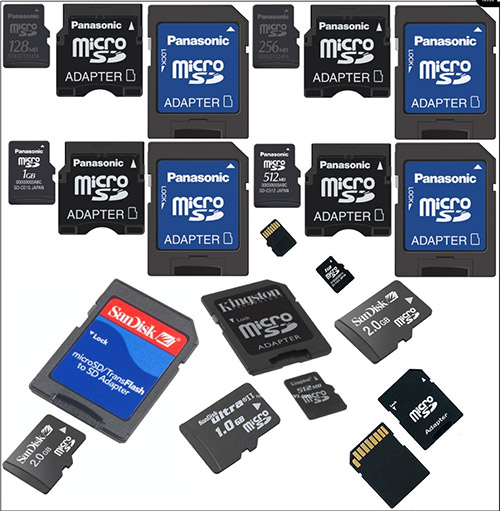
(Image courtesy: SanThink.com)
When the camera manufacturers shifted from tape to tapeless media recording, they also needed to shift from recording on video tape to something else.
Most chose some form of a memory card because it was small, lightweight, and relatively low-cost. (Recording direct to a hard disk was an option used by some cameras because of its flexibility, which we will talk about in a minute, but the cost of including a hard disk with the camera would have made the camera competitively too expensive.)
The problem with recording to cards, however, was that they didn’t hold a lot of media – not given the gargantuan size of video files. So, the camera folks needed to find ways to squeeze media from very large files coming off the sensor into something small enough that it could be squeezed and recorded in real-time to a card.
And from that challenge was born all the different codecs that we are wrestling with today: P2, AVCHD, H.264 and all their cousins.
The good news is that recording to cards works. Inexpensive, high-quality video recording is a reality.
The bad news is that when these fresh-from-the-sensor images get squeezed, a LOT of data gets thrown away. And, because of the mathematics used to compress the files, the files become very difficult to edit.
PROBLEM 1 – LOST DATA
The first big problem is lost data. Imagine a five-gallon bucket filled with water. Now, dip a one-cup measuring cup into the bucket and fill it full of bucket water. Next, empty the bucket and pour the one cup of water back into the bucket.
You still have pure bucket water, but, now, there is much less of it. You can’t do the same things with one cup of water than you could with five gallons of it. Additionally, when I dump the water back into the bucket, it has the FORM of a five-gallon bucket, but only the CONTENTS of one cup of water.
While this is an analogy, the problem is that your video is so compressed to fit on the card that a lot of very useful data gets thrown away. And, once removed, it can’t be put back. Transcoding, which converts your media from the camera native format, say H.264, to another, say ProRes, can only change the format of the media, it can’t reconstitute lost data.
PROBLEM 2 – HARD TO EDIT
Another problem with highly compressed media is that the files become very hard to edit. That’s because files like H.264 or AVCHD convert the video from a series of individual images (called “I-frames”) into a group of pictures (called a “GOP”). This does a great job of removing image data, but adds complexity during editing.
Adobe Premiere Pro CS6 and Apple Final Cut Pro X seek to mitigate this problem by harnessing the graphics processor or graphics card to speed things up. This works, but an even better choice is not to compress the file in the first place. The only downside to not compressing is that your file sizes explode in size.
PROBLEM 3 – REDUCED COLOR SPACE
Compressed media describes colors using an 8-bit model, which reduces the potential range of colors to 256 steps from, say, the complete lack of red to the maximum amount of red.
However, it is generally agreed that color images require a 10-bit model (1024 steps) to accurately represent the colors that we see. (12-bit – 4096 steps – is the ideal, but very few cameras shoot with that range and the resulting file sizes redefine “seriously huge.”) 10-bit color also minimizes banding, which are thin vertical lines seen in color gradients.
In general, the higher the bit-depth, the more image quality you are able to retain when doing effects and color grading. The downside is the greater the bit-depth, the larger the file size.
THE SOLUTION – A DIFFERENT WAY TO RECORD MEDIA
The solution is not to compress your video in the first place; or, rather, to compress it as little as possible. That’s where digital video recorders come in.
Most cameras provide either an SDI (for standard definition video) or HD-SDI or HDMI (for high-definition video) output connector on the camera. This provides a full, uncompressed video stream directly from the sensor. Digital recorders, like the IO-XT from AJA, the HyperShuttle from Blackmagic Design, and the Samurai and Ninja recorders from Atomos, grab that sensor signal and record it directly to hard disk, removing the need to compress the video.
The benefits to digital recorders are that:
The downside to these digital recorders is:
WHAT DOES ATOMOS PROVIDE?
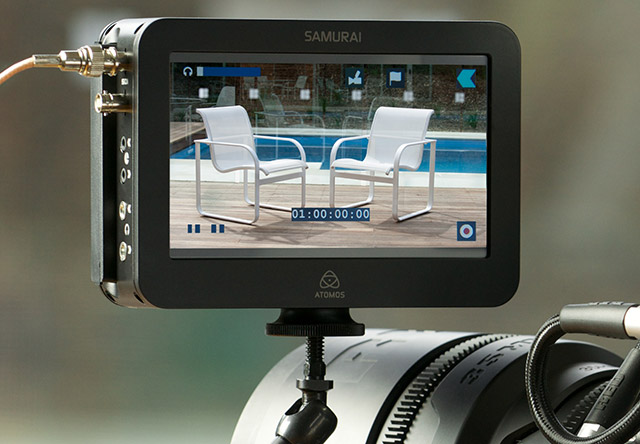
(All images are courtesy of Atomos)
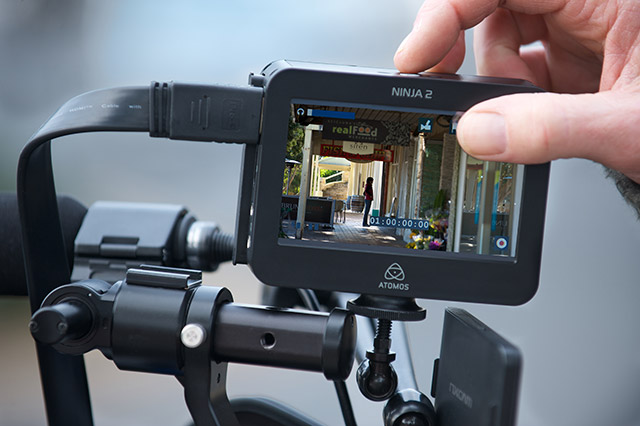
Atomos provides two digital media recorders: the Samurai (illustrated above) and the Ninja. The two units are similar in function. The Samurai accepts HD-SDI signals, while the Ninja accepts HDMI. While the Samurai has a slightly larger monitor, both systems are designed to let you watch your video either during recording, or later playback on set, so you can make decisions on image quality and composition directly during production.
A hard disk is a hard disk is a hard disk. We don’t need to explain how they work. However, I’m sure you can imagine the benefits a very large hard disk provides for storing media files; far exceeding even the largest memory card. Hard disks win hands-down for speed and storage capacity. (Memory cards win on price and physical size.)
As I was talking with Heather, I became intrigued with the monitoring capabilities that the Samurai provides. Both units attach to your camera and directly monitor your video on the recorder, bypassing the smaller monitor built into the camera itself.
THE CONTROL INTERFACE
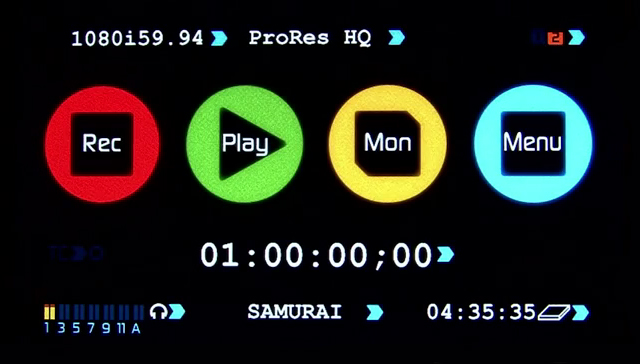
The interface for controlling the camera is really simple: press Record or Play, (or, ah, Stop). Both units display camera timecode, along with the video format it is recording. (In this example, the Samurai is recording ProRes HQ 1080i/60.)
NOTE: Recently, Atomos added support for Avid’s DNxHD format, in addition to ProRes. Details are on their website.
ADDITIONAL MONITORING OPTIONS
But there are three monitor options that both units provide that I really like – especially because we’ve never seen them in camera or NLE monitors before.
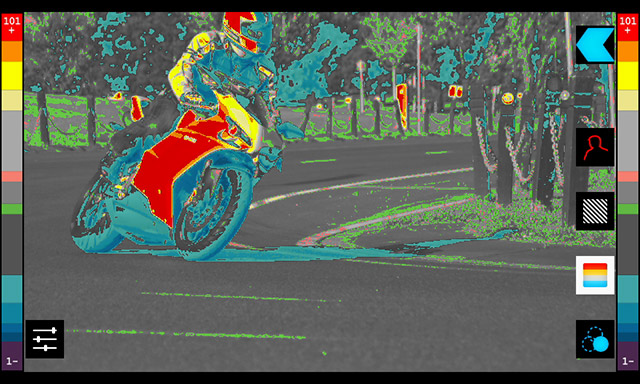
The first is False Color. Though this image uses the example of a motorcycle, the real advantage of false color is proper exposure of skin tones. Caucasian skin under normal lighting registers 50-70% of gray scale. Black skin under normal lighting is around 15-35% of gray scale. These two gray ranges, indicated on the right, help you to set your exposure so skin tones look right.
This one feature alone can be a huge help during production because all you need to do is make sure that skin looks “gray” and you have your exposures set correctly. This also spots excessive highlights on skin that is a dead giveaway for “bad exposures during production.”
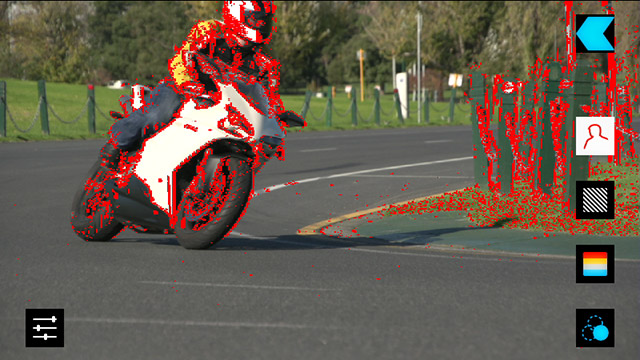
Next is focus assist. This is designed to show which elements of the image are in focus and which are soft. (Focused edges are indicated here with red lines.) What this is actually doing is searching for clearly defined edges. When an edge is sharp, it is assumed that part of the image is in-focus. While using edge detail to determine focus can lead to false positives – I mean, nothing beats your eyes for checking focus – it is helpful to have feedback on focus because HD demands tack-sharp images. Plus, the larger monitor sizes on a digital recorder make it easier to spot focus problems.
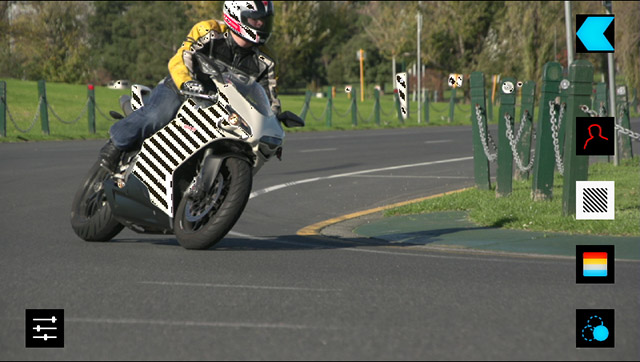
Peaking, illustrated here with black stripes on the white side of the motorcycle, is designed to prevent over-exposing highlights. While this has been a staple of many camera monitors for a long time, the larger monitor size provided by both these digital recorders makes over-exposure easier to spot.
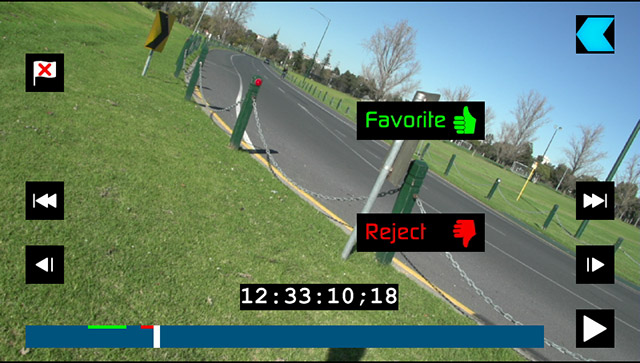
Another feature designed for those of you using Final Cut Pro X, is the ability to mark entire shots, or portions of shots (as illustrated here), as a Favorite or Rejected. This metadata is retained with the clip when it is imported into fCP X, which saves you time getting organized for the edit later.
NOTE: Marking a clip as rejected does not prevent it from being imported.
MISSING AUDIO FEATURES
Still, there are a few missing audio features you should be aware of, especially for larger productions.
Atomos has announced a new unit, Ronin, available in early 2013, which supports 2-channel stereo XLR connections, among other new features.
SUMMARY
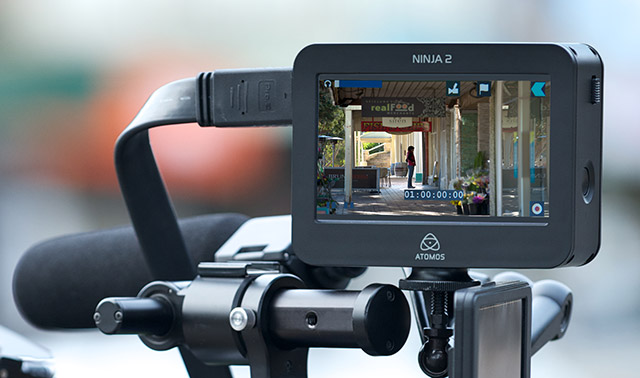
I’ve heard about digital video recorders for a long time, but haven’t had the opportunity to study them before.
The benefits of longer record times, improved image quality, and reduced import times make them a very desirable accessory on larger shoots. And the advanced monitoring functions can help prevent costly lighting or exposure mistakes during production.
At the very least, these devices can help improve your images on set while reducing your stress during production, and then save you a ton of time during editing.

2,000 Video Training Titles
Edit smarter with Larry Jordan. Available in our store.
Access over 2,000 on-demand video editing courses. Become a member of our Video Training Library today!
Subscribe to Larry's FREE weekly newsletter and
save 10%
on your first purchase.

22 Responses to Product Thoughts: Atomos Digital Recorders
← Older Comments-
 Paula says:
June 26, 2015 at 7:43 am
-
 Larry says:
June 28, 2015 at 11:41 am
← Older CommentsHi Larry,
I’m making a feature film and they gave me a raw material (AVCHD) and a material recorded with Atoms Ninja.
I’m gonna use FCP7 and after editing the movie, they’re gonna use the material in AVCHD to finalize it.
Do you think it’s better to convert the raw or can I use Ninja’s material, even if the clips are named like NinjaXXXX?
Regards.
Paula
Paula:
AVCHD will need to be transcoded to ProRes 422 using Log & Transfer in FCP 7. It can’t edit AVCHD natively. Given that, it may be easier to edit the Ninja native format. Remember, once you copy the clips to your hard disk, you can rename them.
As with all things, test your workflow before beginning the project in earnest.
Larry