
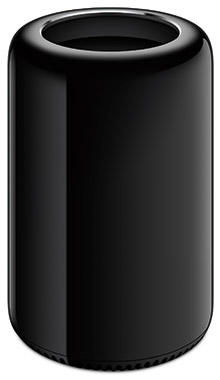
 [ Please see my disclosure statement on product reviews. ]
There are a variety of excellent performance reviews of the new Mac Pro on a variety of sites, so I decided to compare the Mac Pro with an iMac from a different perspective: video compression. What I learned surprised me, as you’ll see in this article.
EXECUTIVE SUMMARY
The purpose of this test was to judge compression speed, not image quality, in an effort to compare these two systems; though compressed image quality seemed comparable between the two systems.
When running Apple Compressor 4.1 as a bench-mark, the new Mac Pro is faster for some compression tasks and significantly slower for others when compared to a recent model iMac. If video compression is your primary use for a new computer, you may be better off buying a top of the line iMac.
Take a look at the table below. Different compression tasks yield significantly different completion speeds. Select the system that meets the needs of the compression tasks you need to accomplish.
A NOTE ON HARDWARE ACCELERATION
One of the speed advantages of the iMac is that it uses an Intel technology called “QuickSync.” This is a special processor “engine” inside many consumer-grade Intel CPUs that accelerates H.264 compression for certain encoding settings; for example, when compressing for Apple devices, QuickTime or MPEG-4 movies using the H.264 codec. The Mac Pro Xeon CPU is considered “workstation-grade,” and doesn’t provide this hardware acceleration. This explains why the iMac is faster when encoding in single-pass mode, which enables hardware acceleration, but slower in multi-pass mode, which disables hardware acceleration.
Hardware acceleration is a two-edged sword. It is MUCH faster than software encoding. However, it only yields image quality and file sizes equal to single-pass encoding. This will often be fine for movies that don’t contain a lot of movement, such as screen captures; or movies where getting it done fast is better than image quality, such as news or digital dailies. However, hardware compression is generally not the best choice for movies with lots of movement between frames or where you need the highest image quality with the smallest file size.
WHAT I DID
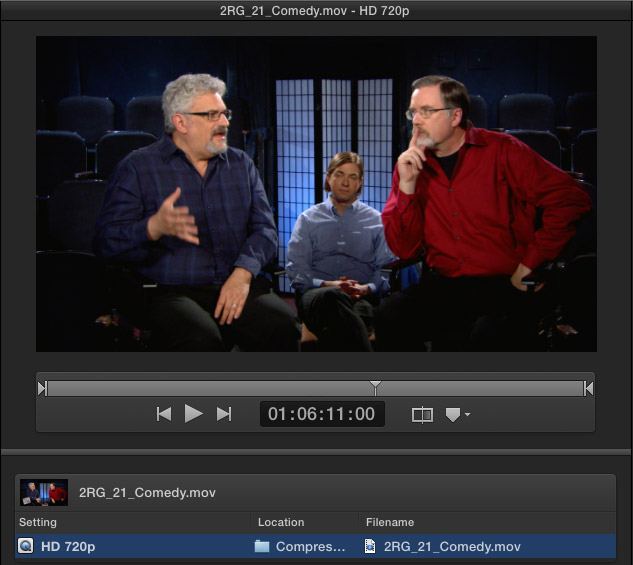
I ran a series of 21 compression tasks on both a current model iMac and new Mac Pro, noting how long the compression took and the difference in file sizes created. I used four test files:
All videos were 720p ProRes 422 or ProRes 4444 files with uncompressed audio. The audio podcast was in uncompressed WAV format.
I created nine compression test settings:
All settings matched between the two computers. Both Compressor and Mavericks were running the latest version. The Mac Pro had its latest firmware update installed.
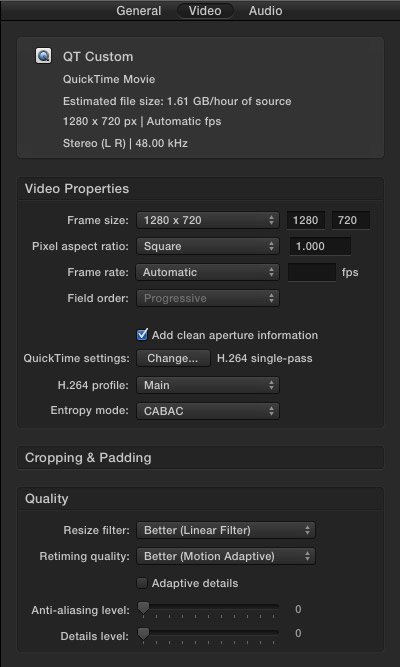
Here are the settings I used for the custom QuickTime setting: H.264 codec, 2000 kbps data rate, frame reordering on, keyframes every 90 frames.
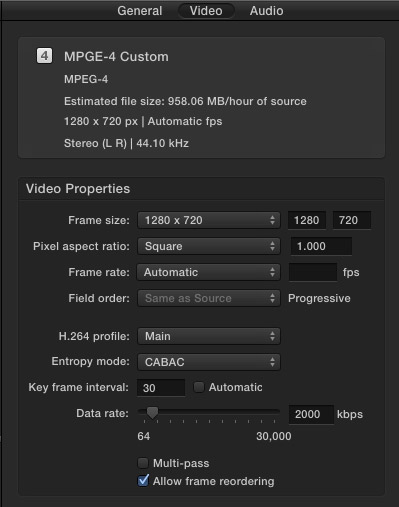
Here are the settings I used for the custom MPEG-4 setting.
WHAT I LEARNED
Compression speeds varied depending upon the length and complexity of the source files, though compressed file sizes were essentially the same between the two computers (which I would expect). All files were stored and saved to the desktop.
NOTE: As measured by the Blackmagic Design Speed Test (BMD), the Mac Pro was roughly 5 times faster at reading and writing to the desktop than the iMac. This speed differential does not seem to be significant in compression.
The BAD NEWS
The GOOD NEWS
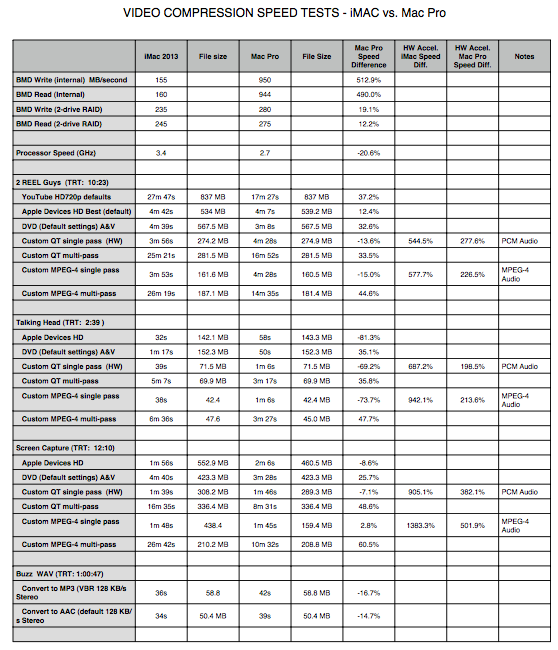
Click the table to see a PDF of all my results.
Column definitions:
NOTE: To compare the differences in hardware acceleration between the iMac and Mac Pro, look in the Mac Pro Speed Difference column. In all but one case, the Mac Pro is slower when hardware acceleration is turned on than the iMac.
NOTES ON THE TEST
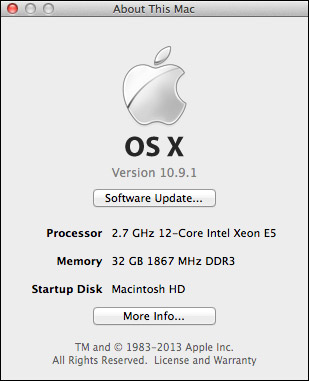
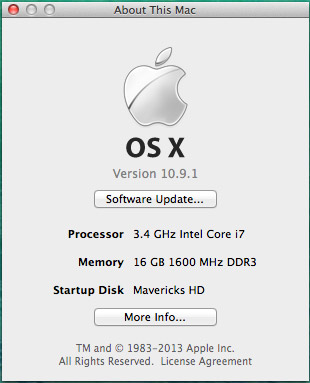
I am working with a new Mac Pro, which is on loan from Apple. (You can read my first review of it here.)
I used the same compression settings on both computers. Timings were measured by Compressor and displayed in the Completed tab. One job was fully complete before the next job started. Two jobs never ran at the same time.
Compressor was run in single instance mode, which is its default setting. Though I didn’t test for this specifically, I discovered that for short movies, single instance mode is about 20% faster than multiple instance mode. This difference disappears as the duration of the source media increases.
NOTE: Running Compressor in multiple instance mode does not guarantee faster performance. In general, I recommend leaving Compressor in its default setting with multiple instances are turned off.
Here’s an article that explains the difference between single-instance and multiple-instance mode and when to use which.
With the exception of compressing for DVD no files were resized and no filters were applied. All source files were copied to the desktop of the computer, and all compressed files were also stored to the desktop of the test computer. No network drives, or direct attached drives, were used for any part of this test.
Audio file sample rates were converted from 48 kHz to 44.1 kHz.
The same compression settings were used between the three video tests. The only difference was in the source media.
The only difference I made between the single-pass and multi-pass compression settings was checking, or unchecking, the multi-pass check box.
FINAL THOUGHTS
I was totally surprised by these findings. Until we start to see applications optimized to take advantage of the power of the Mac Pro, if video compression is your key task, a high-end iMac is your best choice.
As always, let me know what you think.

2,000 Video Training Titles
Edit smarter with Larry Jordan. Available in our store.
Access over 2,000 on-demand video editing courses. Become a member of our Video Training Library today!
Subscribe to Larry's FREE weekly newsletter and
save 10%
on your first purchase.

54 Responses to Mac Pro vs. iMac: Video Compression
← Older Comments-
 stefan says:
October 11, 2014 at 12:57 am
-
Website says:
October 21, 2014 at 7:29 pm
-
 Tim says:
August 17, 2016 at 11:49 am
-
 Tori Hoefke says:
August 17, 2016 at 7:34 pm
← Older Commentshi Larry,
i notice when encoding that system reports the the proencoding engine is not responding. when it works encoding is fast, but when it stops cpu load is low under 100% where it shoulde be in the 500-600% range on a macbook pro dec 2013 model.
also transcoding motion templates is equally slow. i guess this kind of rendering is a combination of cpu and gpu effort. equally slow.
what do you know about the proencoder, what does it do and what prevents it from responding.
note: i have two similar macbook pro and notice different results, so also other factors might influence encoding. any ideas how to setup and maintain a smooth install and operation…
stefan
Website…
Final Cut Pro Training | Mac Pro vs. iMac: Video Compression | Final Cut Pro Training & Classes…
I would like to see an update to this. I wonder how much has changed in 2yrs. I have a 12 core I use for editing.
Tim:
Surprisingly little has changed. First, because the Mac Pro hasn’t been updated in three years. While these tests were done on an 8-core system, your 12-core will be a bit faster, but not by much, because the CPU speed of the 12-core is slower than the CPU speed of the 8-core. Apple Compressor does not use all 12 cores when compressing single files, due to limitations in the H.264 codec. You can improve this by running multiple instances, but that will only really help when compressing multiple files at the same time.
ProRes will compress faster on an 12-core system than an 8-core, but neither will be as fast as an iMac, because the current version of the Mac Pro does not support hardware acceleration, which is supported in the iMac.
In other words, while the specific numbers will be different, the overall trend and results will be the same.
Larry