
 Creating high-quality live video is not easy. Boxcast illustrated many of these challenges in their live-streamed announcement earlier today of the new Boxcaster Pro.
 As I was watching this I realized that if a presentation is targeted at media professionals, the quality of the presentation needs to match those same professional standards.
The Boxcaster Pro product is exciting. But, engineers should not design live television.
THE PRODUCT
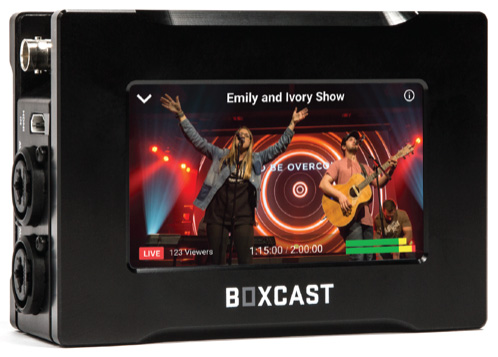
(Image courtesy of Boxcast.)
Boxcast is a respected company, founded in 2013, that makes good products. Their new BoxCaster Pro looks to be a solid all-in-one device that handles all the work necessary to take images from a camera or video switcher and audio mixing console, encode it into a high-quality, highly-compressed stream (using HEVC) and send it from your location up to the web for the world to watch live.
With an introductory prices of $1,999 (US), the BoxCaster Pro can ingest video of any resolution from SD to 4K/60 and can stream up to 1080p/60. HEVC encoding allows users to stream events live without requiring large amounts of network bandwidth. The BoxCaster Pro has professional inputs and outputs, including HDMI, 12G SDI and balanced audio from 2 XLR and 1/4″ inputs. Its 4.3″ LCD touchscreen allows broadcasters to easily see a live video preview, along with video inputs, audio levels, and network information.
Manufacturer: Boxcast
Company Website: www.boxcast.com
Product website: www.boxcast.com/product/boxcaster-pro
Price: $1,999 (US) introductory price, $3,495 (US) after the launch
THE LIVE EVENT
Boxcaster Pro, as a product, seems impressive. But the production they created to announce it was a poster child of what not to do to launch a product.
Let’s walk through what broke.
THE PEOPLE
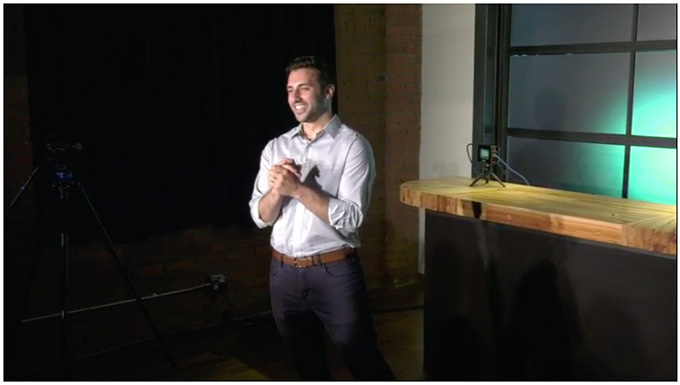
(This was the opening shot. He’s the VP of Marketing. Name…? Unknown.)
Three people spoke during the event. The VP of Marketing, the CEO and the Product Manager. I’d tell you their names, but I have no idea who these people are; there were no titles and the introductions were mumbled.
The live stream opened with a video of Cleveland, with lots of shots of a specific building. What was the building? No clue.
Then, the VP of Marketing wandered on stage to start this highly promoted, world-wide live stream announcing the most significant product in Boxcast history. How? By talking about why LeBron James needs to stay in Cleveland. (The next day, LeBron James decided it was time to leave.)
What’s the relationship between LeBron James and Boxcast? No clue. Why was this the best possible opening to this presentation? Did no one think of writing a script – at least for the open?
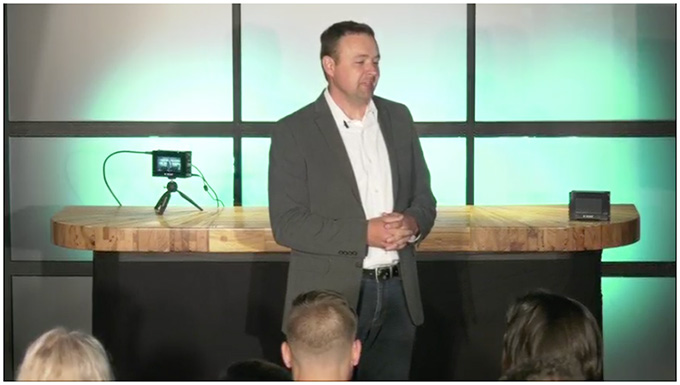
(This is everything we know about the audience.)
At the open, there were wild cheers from the audience, which we never saw, except for the backs of three heads from the center camera in the back. Why have a live audience if we don’t see them, or explain where we are, or even whether these are Boxcast employees?
NOTE: Did the director use the audience for reaction shots to emphasize key product points? No.
No titles, no graphics, no locators, in fact, the VP’s entire presentation rambled, a lot. Apparently, the main reason the VP of Marketing was there was to introduce the CEO. Whom I don’t know and still can’t tell you his name.
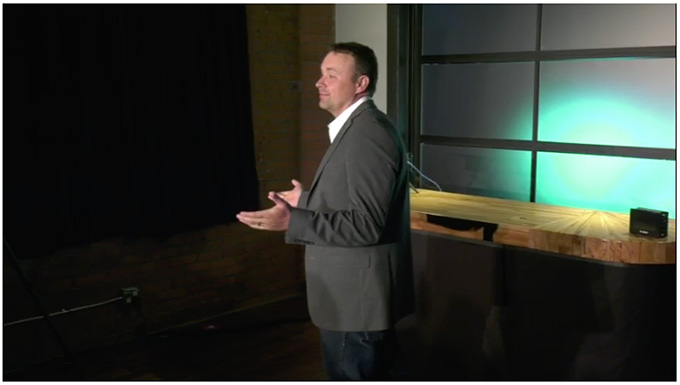
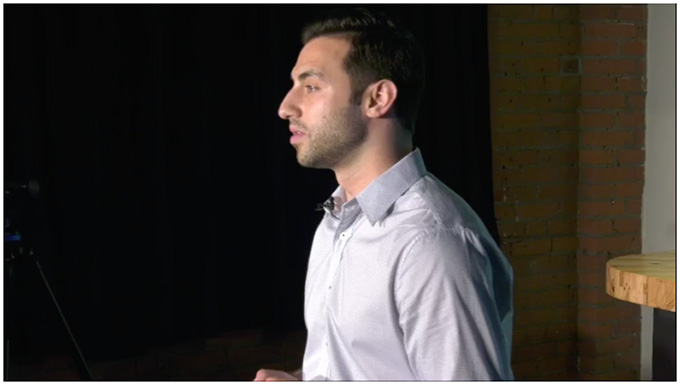
(This is the CEO. Note the set and the lighting.)
At least, I assume he was the CEO. Again, no titles, no graphics. Remember, this was a major presentation, hyped to the world. It would be nice to know who these people are.
This trend of having people who were not identified continued through the entire presentation, which lasted for 35 minutes.
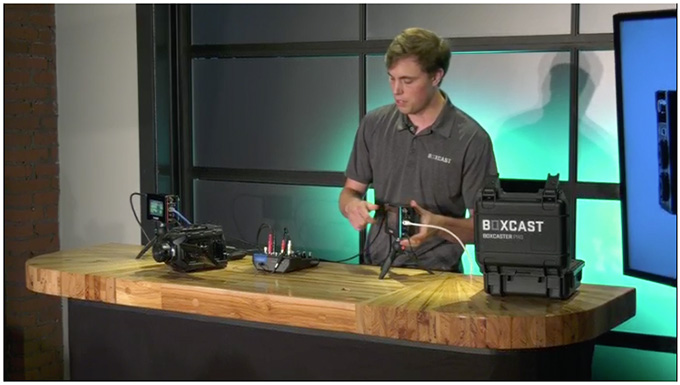
(Note the monitor with graphics on the right. The live audience saw this, the online audience did not. This was also, apparently, used as the prompter because the speakers kept looking at it.)
I don’t know what they were using for prompter, but it was not through-the-lens and every presenter kept looking off-camera right at something, though we the audience never saw what it was, until the director, by mistake, included part of a monitor in the shot – they were using Keynote/PowerPoint slides for their notes.
Really, people, prompters are not that expensive to rent.
We’ll never know.
THE AUDIO
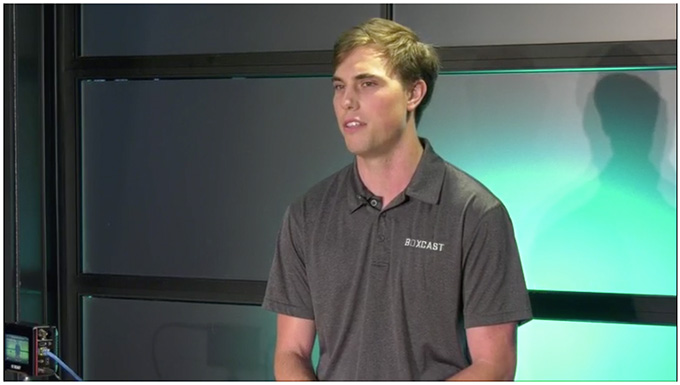
(The lav mic is clipped to his collar. Also note his shadows on the set – all at eye level.)
All three speakers were wearing lav mics, but the audio sounded like it was being picked up from a boom mic in the back of the room. Levels were soft, somewhat echoey, and thin.
Sigh…. one of these days, producers will realize that audio is at least as important as picture and budget for it. Not this time, though.
THE LIGHTING
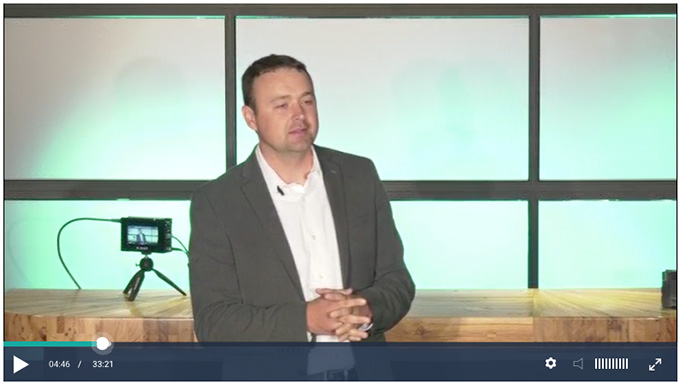
(Note the camera focus, background, lighting, exposure, and, gosh, everything.)
The set was about a 10×10 space, scrunched into a corner and all lighting seemed to be at eye level directly in front of the talent, while the backlight was positioned almost overhead. Presenters did not appear to wear makeup and appeared blinded by the lights; hot spots were everywhere and multiple shadows fell on the set.
Lighting was uneven on the talent, the set and the product.
The background was a grid of panels lit light green. If there is a worse color for caucasian skin, I haven’t found it. Worse, the demo table was about 3 feet in front of the set so that the presenter cast shadows on the back wall of the set.
Of all the nice buildings and locations in Cleveland, why did they pick this corner of a closet?
THE CAMERAS
The main center camera, which provided central coverage, was out of focus and over-exposed. I can understand this being a problem at the beginning if the talent didn’t hit their marks, but it was never corrected during the show.
Boxcast made a big point of the new Boxcaster Pro allowing you to monitor your image using the 4″ monitor on the back of the device. BUT, that assumes someone is actually LOOKING at it.
There were three cameras in the production: left, center and right. The director would insist on cutting to the right-side camera in the middle of sentences, even though the presenters were never looking at it.
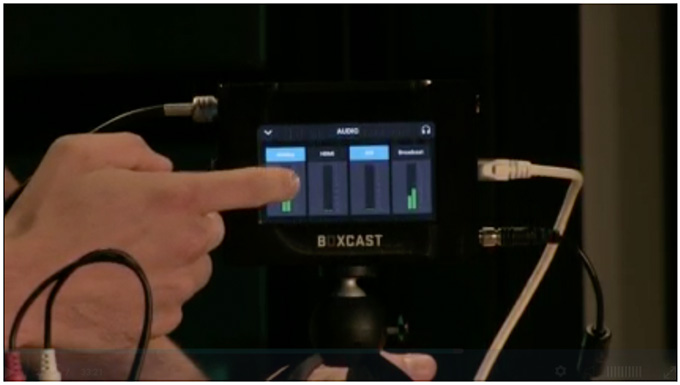
(This is the demo closeup. Note the focus.)
Worse, when they went to the product demo itself, it seemed to catch the director by surprise, because they did not have a closeup camera ready to showcase the new product when the demo called for a close up. And, when the closeup occurred, it was out of focus.
By the way, from the applause, we know they had a live audience. But we never saw them. Not once, even at the beginning. They could have opened up this set tremendously by getting rid of the audience and move the presenters out of the corner and into the room.
GRAPHICS
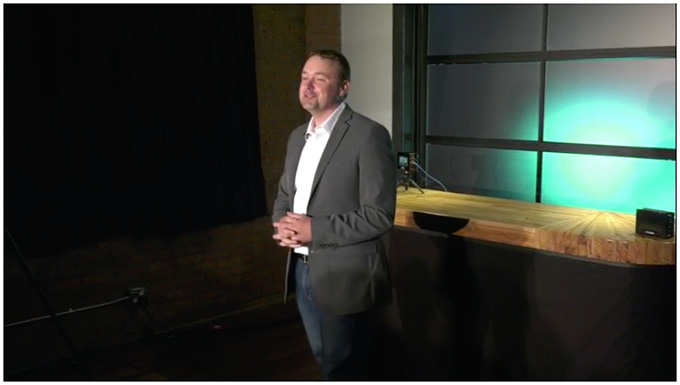
(Even a professional actor could not make this environment look good.)
There were none.
Here’s Boxcast, launching a major new product in today’s media world. Without on-set graphics, without illustrations, and without titles – in a set crammed into a corner of a tiny space in Cleveland.
Even professional actors would have a hard time pulling this off.
THE CONCLUSION
Why am I making such a big deal of this? Because I’m tired of companies that make hardware saying: “Look how easy it is to create professional-quality productions with our gear!” And then fail to create a professional presentation to support the announcement.
Live video isn’t easy. And this Boxcast launch was a text-book case of how to screw it up.
Engineering a high-quality product is hard work and requires the skills and talents of many individuals. High-quality live television, equally, requires skills and talents that are totally different from an engineering mind-set.
The problem Boxcast ran into is the same problem a lot of new producers run into. They are so excited about the concept of “doing it live,” that they don’t think through how the finished production will look. Live television isn’t easy. It is technically challenging with no room for mistakes.
This live production could have been done better by most high schools in America. Which is a shame, because Boxcast’s products deserve better than this.
NOTE: Here’s a link to the live cast, if you want to watch it for yourself.


12 Responses to How Not to Do a Live Stream – the BoxCaster Pro Launch
← Older Comments-
 Mark Suszko says:
July 7, 2018 at 1:06 pm
-
 Larry says:
July 7, 2018 at 1:24 pm
← Older CommentsWell, Larry, nobody deliberately sets out to make a bad presentation video. They happen from a confluence of factors, from uncertainty and lack of focus in the command structure, to a lack of authority and decision-making power given to the creative leads, unrealistic budget assumptions, and, these days, an approach that values the perceived “authenticity” of an “amateur, un-structured approach” that ignores conventions of shot composition and story-telling, eschewing “slick, professional-looking” video. You know; video that works. I’m not talking about the original video in question here but many examples out in the wider world.
Making the video look haphazard and roughly done does not actually make it more “youthful”, “hip”, “truthful” or “honest” or compelling. Remember the short fad of off-axis, deliberately mis-framed “shaky-cam”? Today image stabilizers are selling like hotcakes with hundreds of offerings, because it turns out, people like *moving* video but hate *shaky* video.
The thing that’s actually communicated most loudly with a “deliberately amateur” approach is a lack of commitment and a stubborn refusal to try for high standards. Which to me, as the audience, is insulting. You might sketch a first rough outline of a building on a cocktail napkin, but that’s not the blueprint you hand to the construction crew. And you don’t make a half-fast presentation hoping the audience will just gloss over the flaws and fill-in the missing details themselves, because you think the content is stand-alone compelling. The cases where that’s true are super rare.
Let’s learn from this and share suggestions on better ways to do such a job. I’ll start with this: they mis-used the product engineer and his expertise.
If you’ve ever been to a trade show like CES or NAB, or just seen the shamwow ginsu knife seller at the county fair – you see presenters doing demos over and over until they’ve got it locked in memory. No prompters. They know the key things about the product and can refer to them in any order they need to, reacting in real time to the audience, be it one person or a hundred. (Mad props, Kiki)
The way they achieve that is by spending lots of time rehearsing the topics in live practice conversations, and maybe in phone support calls, where the questions come up in different forms over and over. They can talk about the product in the same way they can talk about their last fishing trip or their kid’s school play. And the product development engineer that built the widget already has that product knowledge baked-in. She or he -should- be a goldmine for presenting the features, …if used right.
The worst thing you can do to an expert like that though is, make him follow scripted bullet points off a powerpoint deck, in someone else’s words. It disconnects him or her from their well-integrated base of knowledge, where they are confident, comfortable and relatable. And it disconnects them from making a rapport with the audience (and this was almost certainly a canned audience of company people and their families, not a hostile audience of strangers). I agree with Larry and others that the studio audience was unnecessary and probably a hindrance.
A better approach, I think, would have been to create three representative setups, in the studio, for low, medium, and high-end users, and by turns, having each of these users “interview” the expert as he talks them thru the specific hook-up and relevant features for each use case. It’s the difference between a salesman doing a spiel in a 30-second car ad, and that same salesman going on a test-drive with you, answering questions and pointing out features.
Mark:
Another great analysis. I especially like your line: “Nobody deliberately sets out to make a bad presentation video.”
Larry