
 This week, Apple sent notices to registered users of Final Cut Studio 3 (which includes Final Cut Pro 7, DVD Studio Pro, SoundTrack Pro and other apps) that it will not be supported – meaning the software won’t run – in the next version of the Mac operating system called “High Sierra.”
NOTE: You may not have gotten this notice if, like me, your email address changed after you initially registered the software.
Some websites trumpeted this as the “Death of Final Cut Pro 7.” But, truthfully, FCP 7 died five years ago; back when Final Cut Pro X was released. However, like all truly useful software, many of us have continued to use it long after its official demise.
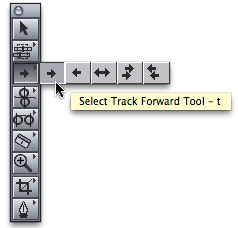 Final Cut is what got me started in this business. First introduced in the Spring of 1999, I started using it in 2002 with version 1.2. That’s back when it was still called “Final Cut,” the “Pro” was added years later. Since that first release, Final Cut has gone through multiple changes with an entirely new industry springing up around it.
The world we work in today bears almost no resemblance to editing prior to 1990. Then, shooting video required cameras attached to technical support trucks, while editing required massive video tape machines costing a quarter-of-a-million dollars apiece. Film required shooting expensive film stock then using razor blades and glue to edit the finished product. Neither technology was cheap, easily accessible to beginners, or spontaneous.
The introduction of DV cameras and Final Cut changed the world – expanding video creation in areas that no one predicted. Video shooting and editing is now taught daily in elementary schools. Tens of thousands of college students are eagerly pursuing media careers. And the world has shifted from print to video – seemingly overnight.
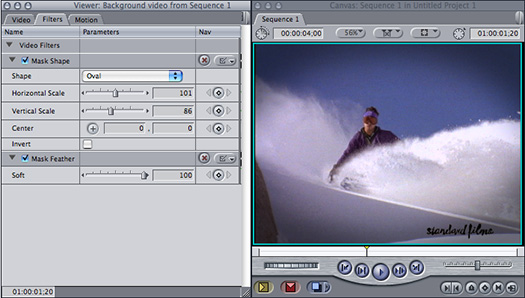
Now the lack of support for Final Cut Studio doesn’t mean that any existing copies of the software will stop working. It just means that you won’t be able to upgrade to the latest version of the macOS and still run the software you love.
Specifically, you need to hang on to older hardware, running an older OS, for any editing for which you want to use FCP 7. This also rules out using more recent codecs or plug-ins.
On the plus side, there are plenty of alternatives to the program that started it all – Final Cut 7: there’s Apple Final Cut Pro X, Adobe Premiere Pro CC, Avid Media Composer and DaVinci Resolve; to name the four most popular professional programs. But there’s also iMovie and Clips, both of which run on your phone!
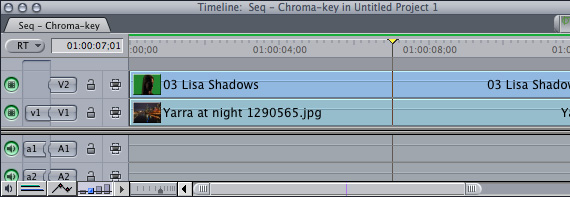
Take a minute to think about that: Over the last twenty years, video has moved from large mobile trucks to smaller DV cameras to cell phones. This doesn’t mean that professional tools have died, but, just as the consumer video market exploded with the advent of DV cameras, it has done so again with cell phone video. You only need to glance at any social media post to realize the impact video has on the everyday life of each of us today.
Still, this week seems a good time to reflect on the impact one software program has had on the lives of so many – from movie goers to film makers to the countless developers of utilities and plugins that supported it to… well, just about all of us.
When Final Cut was first released, Apple’s advertising slogan was “Think Different.” We did – and the world changed because of it. Final Cut is dead – yet Final Cut lives on; and video is more essential to our lives than ever before.
As always, I’m interested in your comments.


40 Responses to Apple Ends All Support for Final Cut Pro 7
← Older Comments-
 Larry says:
April 28, 2019 at 4:59 pm
-
 Holly duRivage says:
August 25, 2019 at 1:43 pm
-
 Lance says:
October 3, 2019 at 7:08 pm
-
 Larry says:
October 3, 2019 at 8:03 pm
-
 John says:
April 9, 2020 at 6:21 pm
-
 Larry says:
April 9, 2020 at 6:32 pm
-
 John Howarth says:
October 4, 2020 at 5:37 am
-
 Larry says:
October 4, 2020 at 9:24 am
-
 mars says:
October 4, 2021 at 4:27 am
-
 Larry says:
October 4, 2021 at 4:38 am
← Older CommentsPeter:
Yes, El Capitan, 10.11, and FCP 7 are very happy with each other.
Larry
I hope it’s okay to reach out here? This is a cry for help with FCP 7!
Production/tech help needed on a feature documentary, currently in Post.
Hardware: iMac running OS 10.11.6 working with Final Cut Pro v 7.0.3. I know, I know ancient hardware & software!
The project format is HD, running time 54 minutes.
The subject of the film is architecture. It is graphics & motion graphics heavy with footage & stills from a wide variety of sources.
Position requires 4-6 hours per week, nights &/or weekends for the next few months. We will work from my home/office in Culver City.
Key Responsibilities:
• prep & conform assets for project sequences
• up-rez SD video to HD video
• manage renders including off-line QTs for delivery to composer
• keep FCP pipeline functioning effectively
• troubleshoot hardware & software issues
• oversee final output to meet HD/Broadcast requirements
Key Qualifications:
• in addition to knowledge & experience with the above
• must be reliable, thorough & meticulous
• must work well independently & with a small group
• knowledge of After Effects would be helpful
For more info on the film go to:
For more info about the job:
Thanks!
Holly
hey, is there by any chance a stand alone upgrade download somewhere in the ethernet to push my FCP 7.0 to 7.0.3?
yeah, I know … it is 2019 but with all the links from the past resulting in bustville I was hoping one existed
Lance
Lance:
None that I know of. And, remember, FCP 7 won’t run on any operating system more recent than Sierra (macOS 10.12).
Larry
Ahoy,
Amid this global lockdown, I found myself resurrecting an old Mid-2010 MacBook Pro over the past couple of weeks. Installing Sierra from a USB-Bootable installer was excruciatingly difficult.
However, Installing Final Cut Studio, and the subsequent upgrade to FCP 7.0.3 took only 30 minutes. Apple still hosts the Pro Applications Update 2010-02:
https://support.apple.com/kb/DL949?locale=en_US
Released September 15, 2010 and includes:
Pro Application Update 2010-02 adds compatibility for new camera formats, improves overall stability and addresses a number of other minor issues.
This update is recommend for all users of Final Cut Studio, Final Cut Server, and Logic Studio.
Application included in the update:
Final Cut Pro 7.0.3
Motion 4.0.3
Color 1.5.3
Compressor 3.5.3
Apple Qmaster 3.5.3
Cinema Tools 4.5.1
John:
VERY cool – thanks for letting us know.
Larry
Clutches didn’t disappear outside of America! Maybe our old software would still run on new machines if the computer industry was centred outside of America? It’s 2020 now, and I still need to use FCP7 to access old projects for clients on a regular basis, so I keep my 2009 macBookPro with 10.6.8 specifically for this purpose. And what’s more, I continue to use FCP7 for new projects. There is likely an extra transcoding process into ProRes using third party software before I can start, but what’s wrong with that? Rarely a problem. Apart from footage shot in an iPhone 11 with High Efficiency Video not de-activated….
John:
Technology is a world-wide phenomena – almost all Windows computers are made outside the US. Major software companies are located outside the US.
That being said, there’s nothing wrong with using older software. But, as you point out, there’s a trade off. You get to keep using software you know and trust, but you cut yourself off from new features and opportunities because you can’t upgrade your gear. HEVC and HEIC media is a perfect example.
I agree, keeping an older system around for the time you need it makes sense. I have a 2013 MacBook Pro I’m keeping for that very reason.
At some point, you’ll need to upgrade – the key is to do it on your schedule.
Larry
Thank you for your info! I’m currently on MAC OSX 10.6.8, and running FCP7. Want to keep this machine for FCP7, but also need more secure Firefox/browser. I’m using Firefox 45.9, but gmail only works in HTML mode. Any thoughts? TIA!
Mars:
You can’t have the latest in security while running older versions of macOS and FCP. Given that you want to keep using FCP7, I’d recommend getting a second machine that you use for general web browsing and business work, while using your existing system solely for editing. Ideally, remove your editing system from connecting to the Internet. This way, you keep your editing system safe, while staying secure with new gear.
You can move files back and forth easily using thumb drives or portable hard disks.
Larry