
 Last week, Adobe released a new beta version of Premiere Pro showcasing new import and export features and, more importantly, pointing the direction Adobe plans to take the software.
Adobe described the changes in their blog: “We want Premiere Pro to become a more intuitive, yet powerful editing tool that is ready to meet the demands of tomorrow while also helping today’s creators to meet the demands of delivering high-quality content at quick turnarounds and optimizing content for multiple social platforms.
“This interface refresh is a journey that has been a long time coming. It’s a nuanced challenge to take a thirty-year-old app and modernize it for new types of video content (like social video which simply didn’t exist when Premiere Pro was first built), while respecting the needs and demands of traditional post-production.
“…A guiding philosophy behind the refresh is to keep what people love the most about Premiere Pro, while adding in what we’ve learned over the years to make it better…. We’ll be rolling out these new experiences on a timeline starting with this public Beta to ensure that our customers can provide feedback, explore the changes and continue to use Premiere Pro to its fullest potential. These changes are additive and not a replacement to current workflows. We understand how important muscle-memory is and we don’t want to disrupt your flow in any way.” (Adobe blog.)
NOTE: Beta software, by definition, is unstable and likely to change. You can install the beta version without losing access to the current release of Premiere. However, use beta software only for exploration and experimentation because there is always the possibility of losing your work due to a software bug.
NEW IMPORT PROCESS
First, and most important, everything you’ve been able to do in the past in Premiere remains the same. Adobe didn’t remove anything.
What they did was to add a visual front-end to media import that allows you to see all available clips, select the clips you want to bring into a project, then, automatically create a sequence based upon those clips without first requiring stepping through any menus.
This interface is designed for visual media, it won’t work effectively for interviews or other talking head-type material. At this point, this new interface does not show audio waveforms.
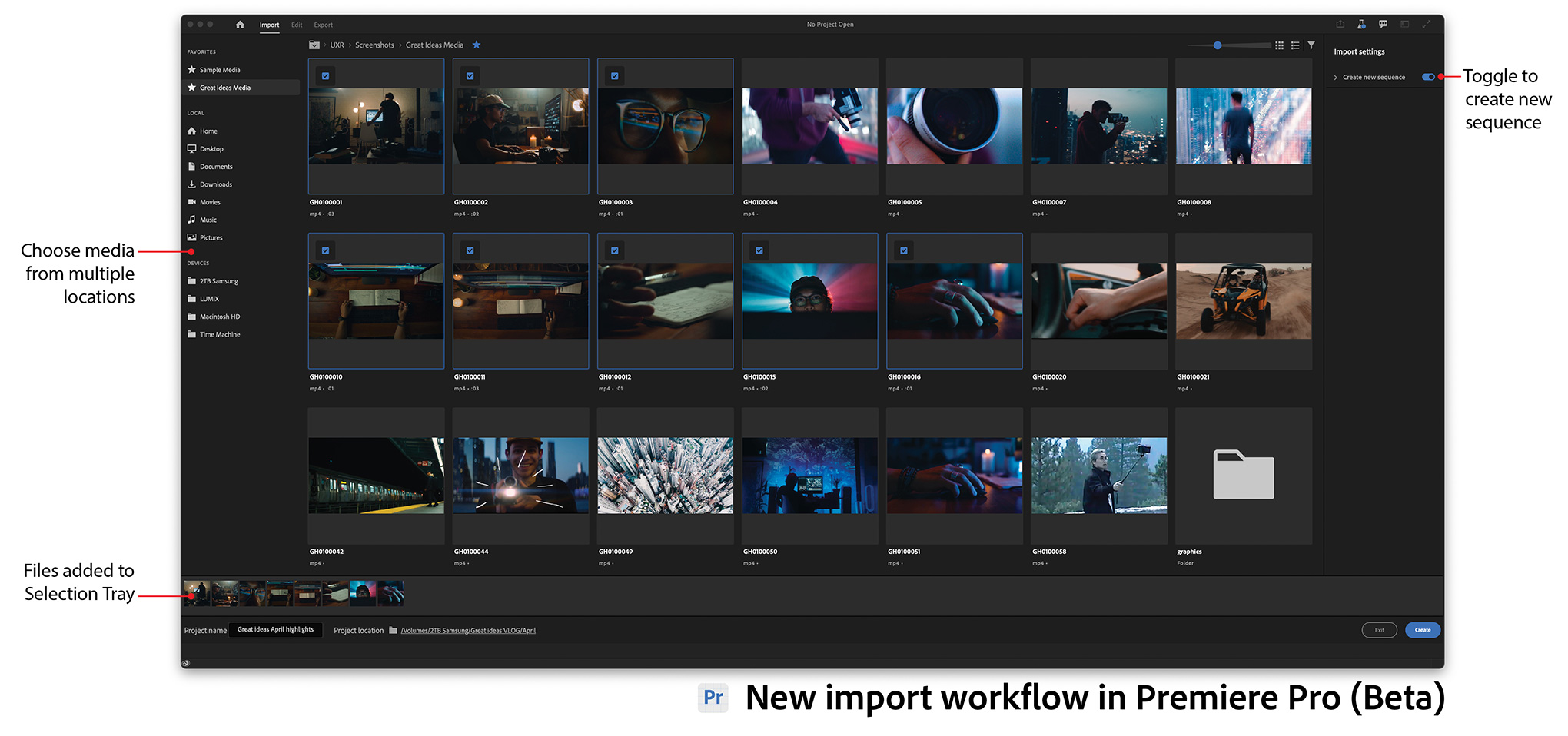
(Click to see larger image. All images courtesy of Adobe Systems, Inc.)
The workflow now is to either create a new project or open an existing one. At which point, you are taken to the import screen illustrated above. From this, you can select the clips you want to import into your project.
NOTE: The Media Browser remains intact, but not part of this interface window.
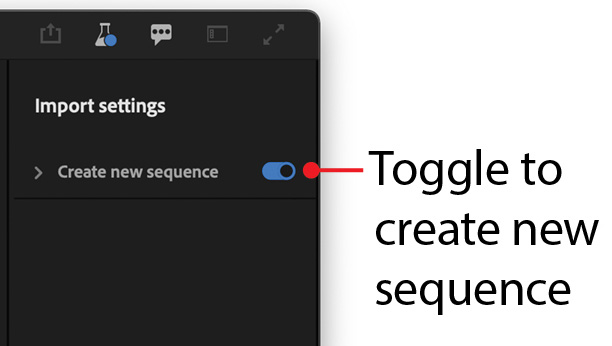
Selected clips are collected into a “tray” at the bottom of the import window (see screen shot below), then added in the order you selected them into a new sequence.
If you don’t want to create a new sequence – for example, to import clips into an existing project – deselect Create new Sequence (see screen shot on the left).

This new sequence is configured as though you dragged a clip into an empty sequence.
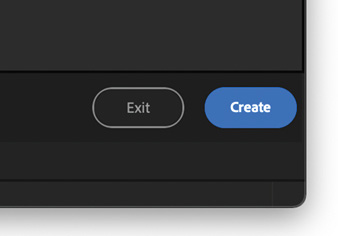
For those who, like me, frequently need to create sequences that are different from the clips we are editing, we can bypass this entire step by clicking the blue Create button in the lower right corner, as illustrated by the screen shot on the left.
Clicking this button allows us to bypass this new interface and use the interface tools Premiere has always offered.
NOTE: Here’s a video from Adobe that showcases the new import workflow.
NEW EXPORT PROCESS
 (Click to see larger image.)
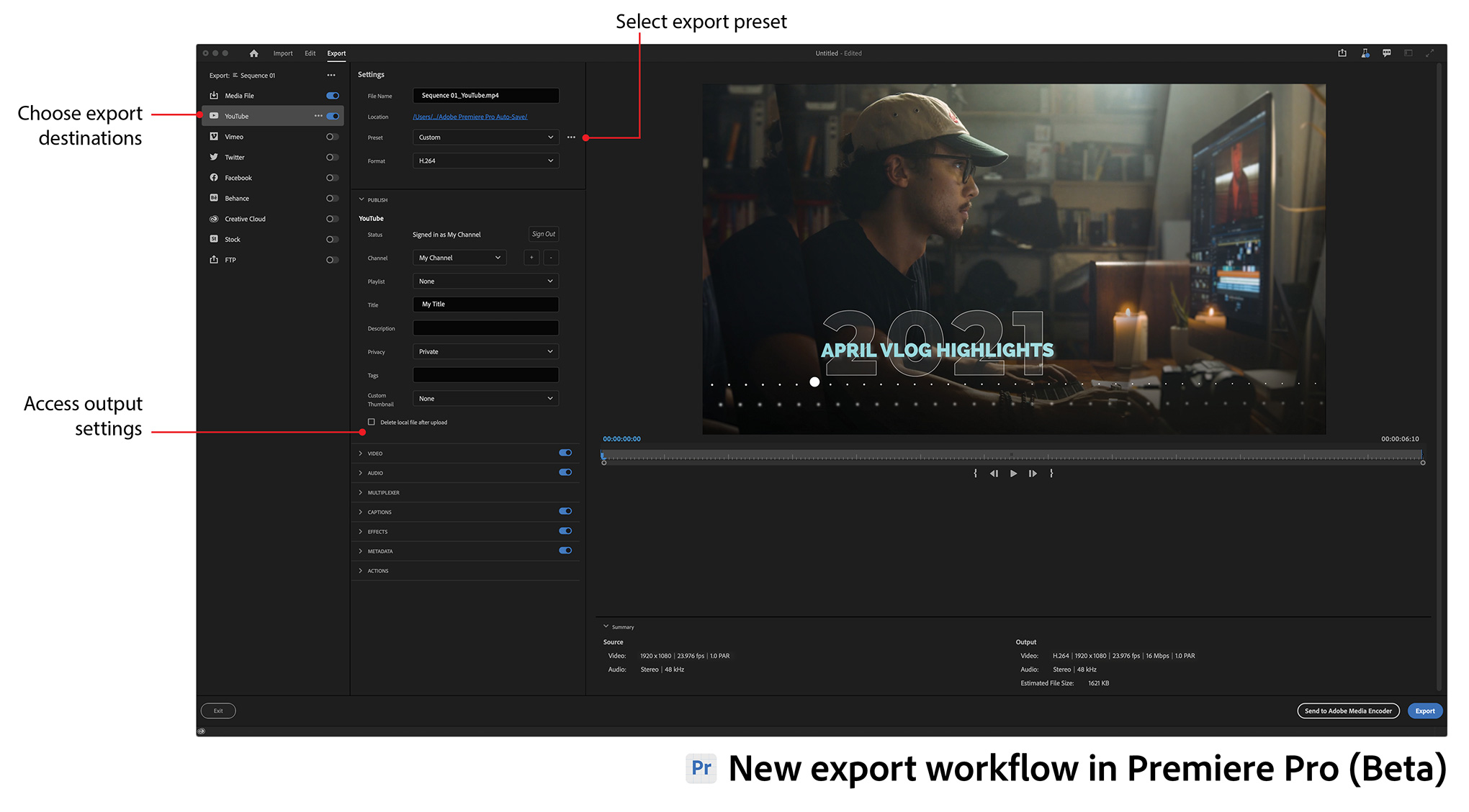
Like import, export was enhanced in this beta release. Adobe’s goal was to focus on speed and simplicity.
“The new export workflow streamlines the process of delivering completed videos by focusing on the destinations of the content. Optimized render settings for popular social platforms like YouTube, Facebook and Twitter are presented. Advanced settings are easily accessed for customizing exports.” (Adobe Help)
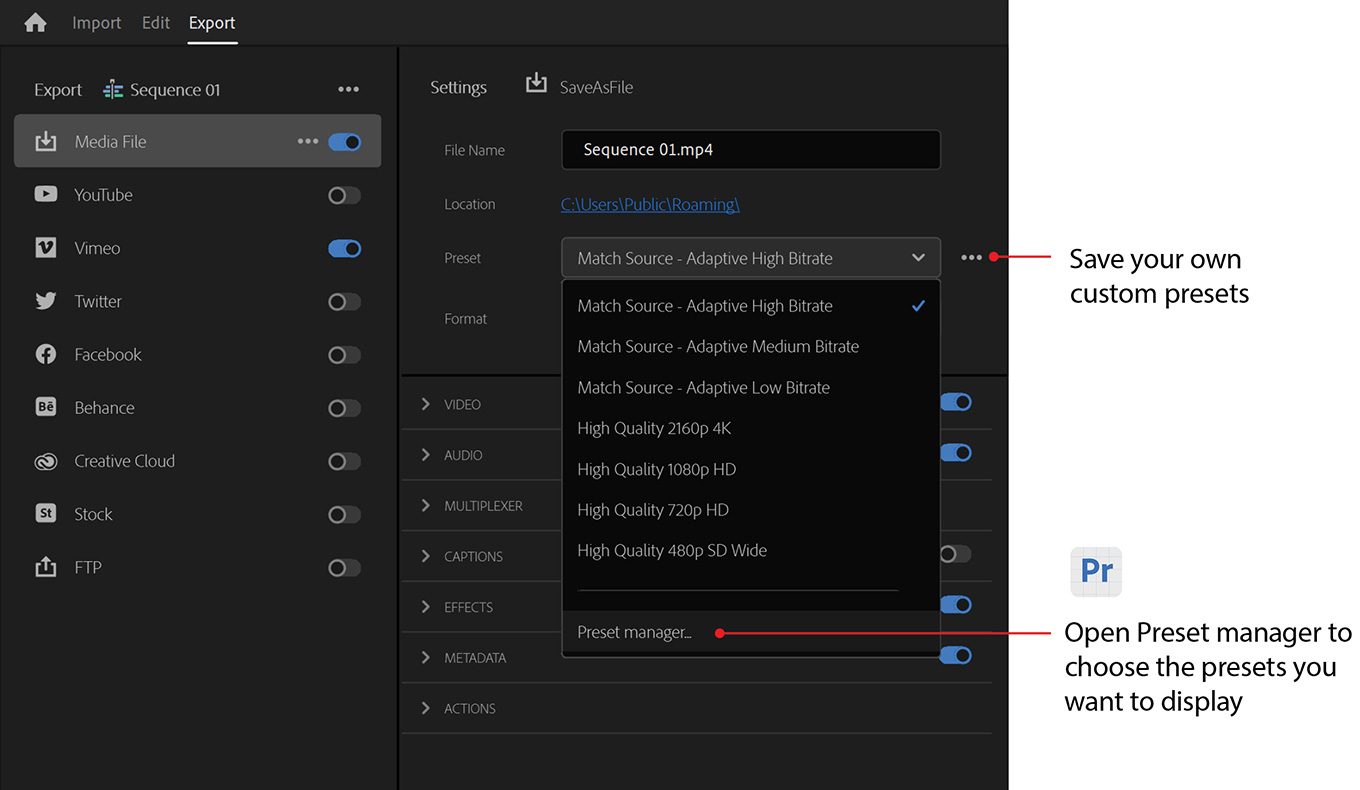
Select the sequence you want to export, select the destination, click Export.
NOTE: Here’s a video from Adobe that showcases the new export workflow.
NEW HEADER BAR DESIGN
Finally, though it seems the least significant of the new features, I think the changes Adobe made to the header bar are highly indicative of where they are going.
For the last several years, Adobe has worked to clean up the Premiere interface. Similar to what Apple did in re-thinking the Final Cut Pro interface, Adobe keeps finding ways to remove clutter, improve features and speed operations. Unlike Apple, though, Adobe is making these changes incrementally, while maintaining compatibility with past projects and media. A lesson Apple did not learn until too late.

Workspaces were moved to their own menu, a full line of text was removed and the overall look was improved. The “new header bar is designed to seamlessly integrate the core phases in the editing process: Import, Edit, and Export. A task-specific workspace dropdown menu and Quick Export are accessible directly through the header.” (Adobe blog)
NOTE: Here’s a link to Adobe’s help pages covering the new Import/Export features.
ONE MORE THING
With this release, Adobe now provides early access to the Speech to Text feature to all Adobe Premiere Pro (Beta) users.
From my perspective, these new changes are welcome. Premiere Pro has long been a capable editor, but it is hard to learn, often hard to use and frequently unstable. It needed renovation.
While all of us would like these changes to happen immediately, Adobe is wise to take it in smaller steps. Make the changes, allow users to adjust their workflows and comment, then, make more changes. All while maintaining backward compatibility. Not an easy challenge.
I’m very interested in seeing where Adobe takes us in the future.

2,000 Video Training Titles
Edit smarter with Larry Jordan. Available in our store.
Access over 2,000 on-demand video editing courses. Become a member of our Video Training Library today!
Subscribe to Larry's FREE weekly newsletter and
save 10%
on your first purchase.

14 Responses to New Features in Adobe Premiere Pro (beta)
← Older Comments-
 Won says:
June 28, 2021 at 6:33 pm
-
 Larry says:
June 28, 2021 at 6:52 pm
-
 Jeff says:
July 2, 2021 at 9:08 am
-
 Larry says:
July 2, 2021 at 9:15 am
← Older CommentsI don’t think it’s a young or older editor thing. It’s a Pro thing. A professional has a repeatable process, experience, and can reasonably guarantee a consistent product and experience to a client, reliably.
I know Premiere, Avid, and now have learned Resolve editing. I’ve been editing for a little over 12 years Professionally and I teach as an Instructor to University film students.
Organization is one of the first things I teach as I introduce the software. Those who don’t listen are all ears and swear by organizing footage first when they are deep in their thesis films or start doing client projects.
How we work in the timeline in my experience is defined by how our own brains work. There are multiple ways to do things. Shortcuts are a must but the ratio of drag to shortcuts to whatever and how much you checkerboard in the timeline or use your trim tools varies from person to person during the creative process (I have my arguments against messy checkerboarding 🙂 but for another time).
Encouraging people not to organize is just another hurdle I and other Pros will have to jump as we click through it or teach out students out of the bad habits, the ones that are going for a career at least.
These new features feel like they are meant to increase Premiere Pro’s market share to non-editor, or maybe better put, non Professional editors. We have to do reviews, replace clips, working on intentional storytelling. That takes ORGANIZATION and thought first no matter how old or young you are.
What features do I want. I will ask for just two right now. Please Adobe, rework audio syncing. Resolve’s ease in attaching audio to video eclipses Premiere and Avid’s in ease and utility. That’s one many pros I think would love. Another is the vestigial organ that is sync and merge. You can’t proxy after doing the sync and merge method, so yes, we all use Multicam to do that, but these may be streamlined better.
Those are my rantings. Thanks, Larry for this great write-up as usual.
Won:
Thanks for your excellent! comments.
I’ve already forward a link to this write-up to Adobe in hopes they deeply consider the thoughts pro editors are sharing here.
Larry
Hi Larry,
I’m considering trying out this Beta with a real project. Would suggest I resist the urge to do so and just noodle around on it?
Hope you’re healing well.
Jeff
Jeff:
It depends upon your threshold for risk. There are bugs in the beta. But, the core of Premiere is still the same.
If you make frequent backups and can afford to lose your project, go ahead. You’ll learn a lot and give good feedback to Adobe. But, if the risk seems too great, stay with the release version.
Larry