
 Last week, Apple updated both the 27″ iMac and the iMac Pro; though the iMac Pro got only a minor processor update. The question is, with the coming transition to Apple silicon, what should we do with these new systems?
Initially, there was a big kerfuffle about these new Macs using the existing hardware design, as if the size of a computer’s bezels somehow affects its ability to process data. Design is valuable, but I don’t buy a Mac because of how it looks, I buy it for what it can do. Looks are good, performance is gooder.
I am not losing any sleep over the fact that the bezels on both my 2017 iMac and the new 2020 iMac are an inch wide. And the “chin” (lower silver part) of the system? That’s the best possible place to park all my yellow sticky notes.
NOTE: Apple updated the 27″ iMac, but not the 21″. The smaller system is very capable, but for video editing the larger screen, combined with the ability to upgrade RAM after the fact, make the 27″ iMac a better choice.
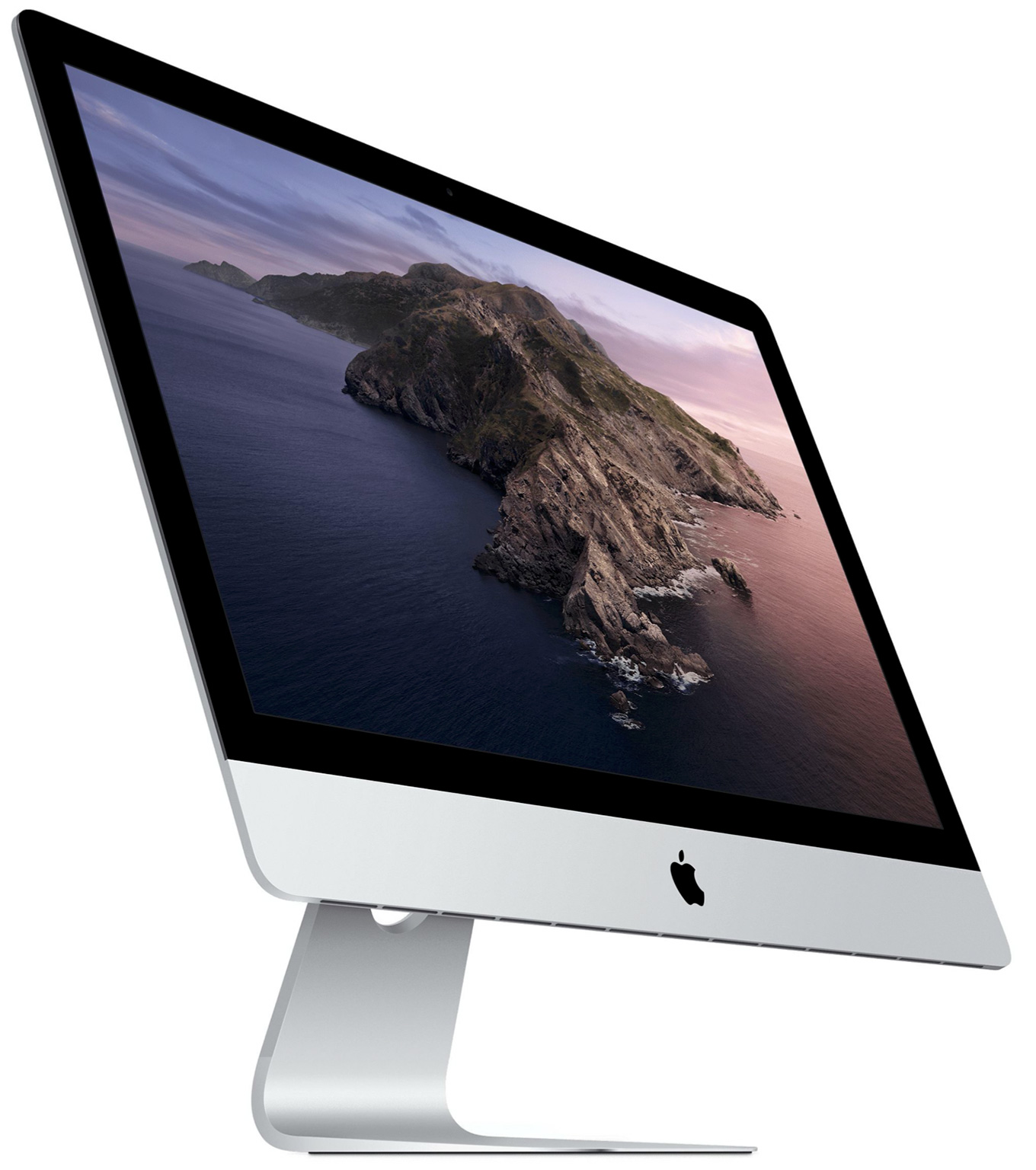
(All iMac images courtesy of Apple, Inc.)
So the first question we need to ask is: If I buy this iMac now, will it be obsolete in the future? Of course you know the answer: Absolutely yes. That’s been true of every computer made by every manufacturer for the last fifty years. The trend of continual hardware obsolescence will last long into the future.
A better question, though, is to ask: If I buy this Mac today, will I be able to use it for several years before it needs replacement? Here, again, the answer is: Yes. Every day I get emails from editors who are running their business on 2010, 2009, even 2008 Mac Pros and getting work done.
Macs are well-designed, well-built and any Mac you buy today will run for years. Period. You may not be able to fully upgrade it after a while, just as most 2010 Mac Pros are unable to run the latest version of the MacOS. However, you don’t need to run the latest OS to get productive work done. Even the oldest system is still fully capable of editing media on a daily basis.
You don’t need the latest gear to edit SD or HD video.
However, as we move into the world of HDR, 8K and 12K media and displays the size of moving vans, not to mention streaming multicam edits for these COVID times, you’ll need computers with more heft. 8K video pushes a lot of pixels. 12K media requires a mind-bending 75 MILLION pixels per frame!
NOTE: According to recent articles, the human eye is roughly equivalent to a frame size of 100 million pixels. So, we probably aren’t at the end of the “frame size race.”
So, why buy the latest 27″ iMac? According to an analysis published by AppleInsider.com, the iMac released by Apple last week has essentially the same power as the current Mac Pro, for about half the price.
In this new system, Apple boosted the CPU, GPU, RAM and storage. These systems are designed for power users who create stuff – from video to audio to code. If all you need is word processing, spreadsheets or browsing the web, these systems are overkill.
WHAT SHOULD YOU BUY?
To start, here’s Apple’s description of the latest systems.
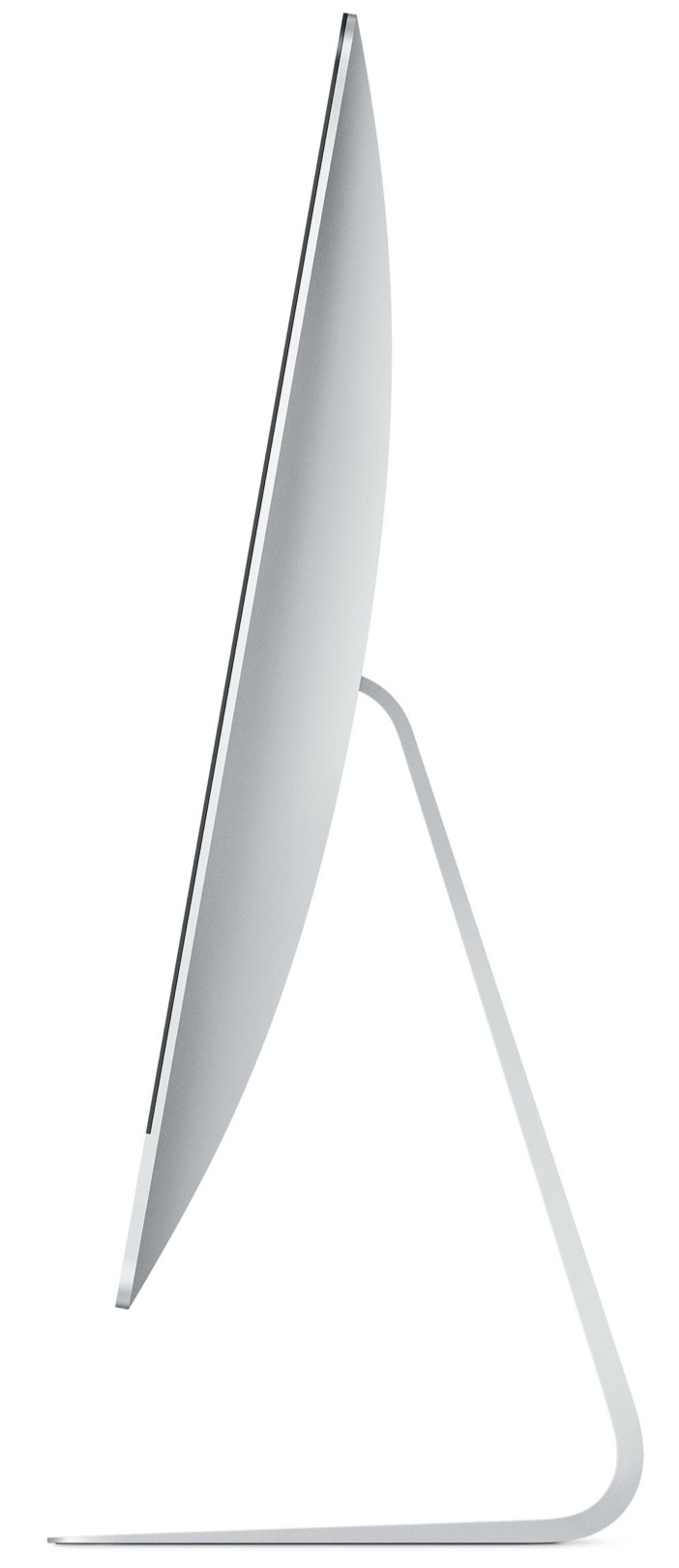
Buying a new computer is always a balancing act between what you’d like and the money you have. Assuming you don’t have an unlimited budget, here’s how I suggest you spend it:
Processor. These iMacs offer i5, i7 and i9 processors. There is a BIG difference between an i5 and i9. I prefer an i7, simply for the price compared to an i9. Video editing does not require an i9. However, after using an i7 for years, then moving to an i5, I was surprised at the drop in interface responsiveness.
After a while, I stopped noticing. But, initially, the difference was dramatic. My next system will not have an i5 in it.
RAM. Apple RAM is desperately overpriced. There is no need to spend your dollars with Apple where, for half the price, or less, you can get far more RAM from OWC or Kingston or Crucial. It is easy to upgrade RAM in the 27″ iMac, unlike almost all other Apple devices. If this process makes you nervous, ask a friendly high school student to do it for you.
However, in your planning, I would aim for 32 GB of RAM. 16 GB is the minimum and there’s no advantage to getting more than 64 GB – except for bragging rights. Your editing will never need it.
GPU. The sweet spot for most GPUs is the middle choice. In this case, the Radeon Pro 5700 with 8 GB of VRAM. If you are doing effects heavy work, that you KNOW uses the GPU, spend the extra $200 for more VRAM. However, for most of us, save your money for more storage.
NOTE: Not all apps use the GPU for graphics work. If the apps you rely on use the CPU, then an i9 processor will be a better choice. I’d still go for the mid-range GPU, though, because Apple is really encouraging developers to leverage the GPU as much as possible when they upgrade their applications.
Storage. Regardless of how much storage you buy, it is never enough. You will ALWAYS need to purchase external storage. My current iMac has 2 TB of storage; however, I’m only using 400 GB of it. Why? Because I have 150 TB of external storage. I recommend 1 TB for internal storage. This provides plenty of space for your apps, plus lots of room for work files. The difference in price between 512GB and 1 TB is minor, while the performance is worth it. You can spend more, but, again, you’ll still need external storage. Save your dollars for a fast RAID or NVMe SSDs.
Ethernet. Unless you are hard-wired to a fast server, there’s no need for 10 Gb Ethernet. WiFi doesn’t provide that level of speed. However, if you, like me, are planning to upgrade your network to 10 Gb Ethernet, then this option makes sense. 10 Gb Ethernet will not make any difference in the speed with which you access the web.
Nano-Texture glass. Um, which is easier – spending $500 or turning your Mac so it doesn’t face any windows?
Mice. I am not a fan of Magic Mice. I prefer third-party mice with an Apple keyboard. And I’ve never seen the benefit of trackpads for video editing. But that’s just me.
PRICING
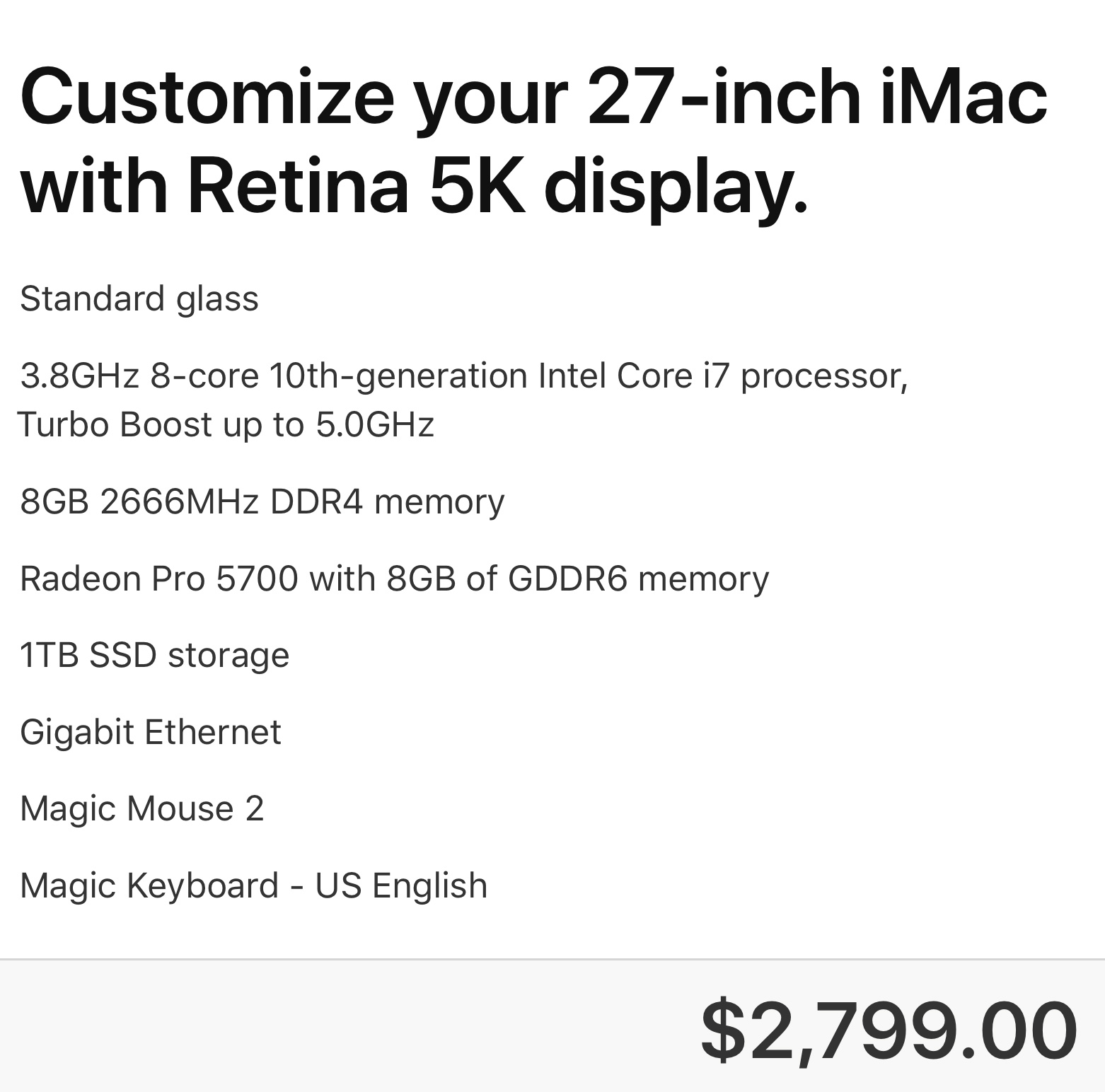
I started with the 27″ iMac with the i7 processor. (It’s the iMac on the far right of Apple’s iMac page.)
I kept the RAM at 8 GB so I can add 32 GB of third-party RAM (using 2 sticks) later. This would bring my total RAM to 40 GB, because the iMac holds up to 4 sticks of RAM.
NOTE: 32GB of additional RAM from OWC costs $119.76 vs. $600 from Apple.
I would add the mid-range GPU, along with 1 TB storage.
My final system is $2,799, plus $120 for OWC for a rough total of $2,920 (US).
WHAT ABOUT APPLE SILICON?
 (An illustration of an Apple silicon processor. Courtesy of Henriok / CC0.)
I am very excited about the potential for Apple silicon. I think it will change our industry. But, it isn’t shipping yet. In fact, new iMac systems using Apple silicon have not yet started generating rumors. This means that high-end iMacs are not likely to be shipping for many, MANY months yet.
If you don’t need a Mac “right now,” think about this: Apple would not make the transition to Apple silicon in order to create systems with lower prices. That has never been their strategy. In every CPU transition – from 68K to PowerPC to Intel – performance has ALWAYS improved, while prices held steady.
NOTE: The original 128K Mac, released back in 1984, was priced at $2,499. And, yes, I bought one.
My expectation is that with these new systems prices will remain roughly the same, but performance will be SIGNIFICANTLY faster. But, Apple silicon is unknown technology. Apple’s keynote not withstanding, until Apple actually ships a computer we can use for every day work, as opposed to systems for developers to test products, we won’t actually know what the results of the move to Apple silicon will be.
So, if you are looking to make a safe choice, or you need a computer right now, the new 27″ iMac is an excellent choice. It runs all current Mac and, if needed, Windows software. It is proven technology in an established form-factor. You can be up and running 30 minutes after you open the box.
Plus, it has performance to burn.

2,000 Video Training Titles
Edit smarter with Larry Jordan. Available in our store.
Access over 2,000 on-demand video editing courses. Become a member of our Video Training Library today!
Subscribe to Larry's FREE weekly newsletter and
save 10%
on your first purchase.

128 Responses to Configure a 2020 27″ iMac for Video Editing – Should You Buy?
← Older Comments Newer Comments →-
 Larry says:
November 9, 2020 at 8:37 am
-
 'MarkA says:
November 10, 2020 at 1:28 am
-
 Larry says:
November 10, 2020 at 2:53 pm
-
 Andrew says:
November 13, 2020 at 4:16 am
-
 Oswald says:
November 15, 2020 at 11:33 am
-
 Larry says:
November 15, 2020 at 1:12 pm
-
 Oswald says:
November 16, 2020 at 12:55 am
-
 Gidon says:
November 19, 2020 at 3:56 am
-
 Larry says:
November 19, 2020 at 9:41 am
-
 Gidon says:
November 21, 2020 at 11:58 pm
← Older Comments Newer Comments →Mark A:
The short answer is: Do you have the money? If you do, the Mac Pro is extremely fast, extremely configurable and state of the art.
If you don’t, then the iMac is an excellent choice. Not quite as fast, not quite as configurable, but extremely competent for the work you want to do. You can not go wrong with either choice. But, for the media you are creating, the iMac is a good fit.
Larry
Thanks Larry, I’ve gone for the iMac, I just don’t have the extra 3 grand at the minute, and I think for the amount of editing I do, it will still knock spots off my current 10 year old machine!
Mark A:
Good choice! Enjoy your new gear.
Larry
Carlos, how do you find this settings and the i7 8 cores cpu working for you in 4k video editing so far?
Thanks.
Hi, Great and informative article.
I have a question on the RAM.
Doe it not pose any issues mixing the RAM shipped with the machine with third party RAM?
I have just bought the 27′ with the standard 8G of RAM with the hope of upgrading.
Oswald:
As long as you buy RAM that is compatible for your iMac, there is NO problem mixing Apple with 3rd-party RAM.
Larry
Thanks fo the info Larry 🙂
Hey Larry,
Thanks for the great info here. Im about to buy the I-Mac 27″ for photo and video editing puposes (not long videos, mostly short, like an 1hr max)/
My only “problem” is that Im not sure about the graphic card, is the Radeone Pro 5500 is enogh for me? Im not sure wich one to buy, the Radeom pro 5500 or Radeon pro 5700xt?
Would love to hear you opinion.
Gidon:
Thanks for writing.
All you get with a “better” GPU is faster performance. Quality is the same. So, if you aren’t in a big hurry, the Radeon Pro 5500 will be perfect.
Larry
Thank you for your fast answer. Is the “better” GPU is significently faster? I only worry the video editing work will be slow and heavy..