
 [ Update: On March 19, 2019, Apple released updates to both 21.5″ and 27″ iMacs. These new systems feature improved CPU and GPU options, though the display and storage remain the same as earlier versions. I’ve reflected these new options in my recommendations below. ]
At their WWDC, in June, 2017, Apple announced and released new iMac computers, designed to meet the needs of professionals. These new systems sport a variety of very exciting features. However, if you are on a budget, how do you determine where to spend your money?
This article is designed to help you make more informed choices when you don’t have a lot of money to spend.
NOTE: I have not purchased any of these systems. My recommendations are based on past experience, current system specs and talking with informed individuals.
EXECUTIVE SUMMARY
If money is no object, buy the top of the line iMac. It will work great and you’ll have bragging rights over all the other systems.
But, if money IS an object, then you need to make trade-offs, balancing the performance you need with the money you have. However, you don’t need to spend a fortune to get a system today that can meet your editing needs for the next several years.
ALSO: Here are two other configuration articles you may find useful:
YES, BUT WHAT ABOUT THE IMAC PRO?
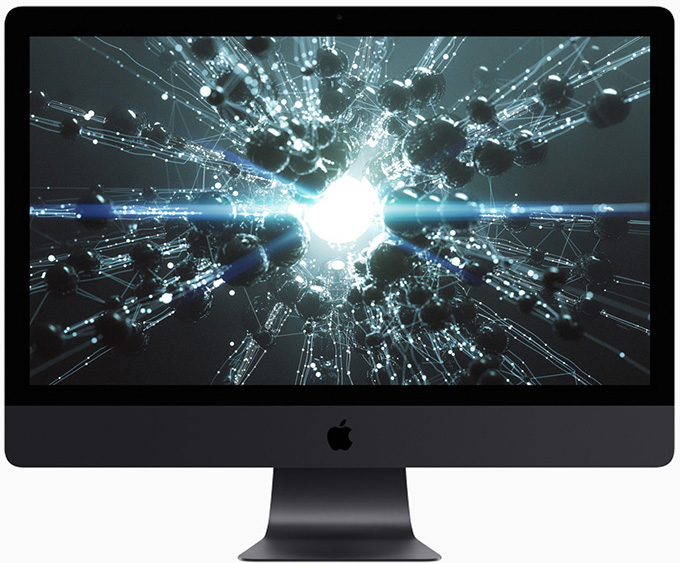
Holy smokes! What a system.
This review covers the iMac. Click here to read about the iMac Pro.
YES, BUT WHAT ABOUT THE MAC PRO?
Given the latest iMac releases, there are very, very few reasons to purchase a Mac Pro right now; especially given its price. Keep in mind, however, that Apple has already announced they are working on a new, top-of-the-line Mac Pro which will ship sometime in 2019.
Given what Apple has announced for the iMac Pro, however, that upcoming Mac Pro will need to be a true screamer to compete. I’m looking forward to seeing what Apple creates – but, as I mentioned earlier, I still need to pay my bills today.
And that leads us directly to the latest updates to the iMac.
WHAT SIZE SCREEN?
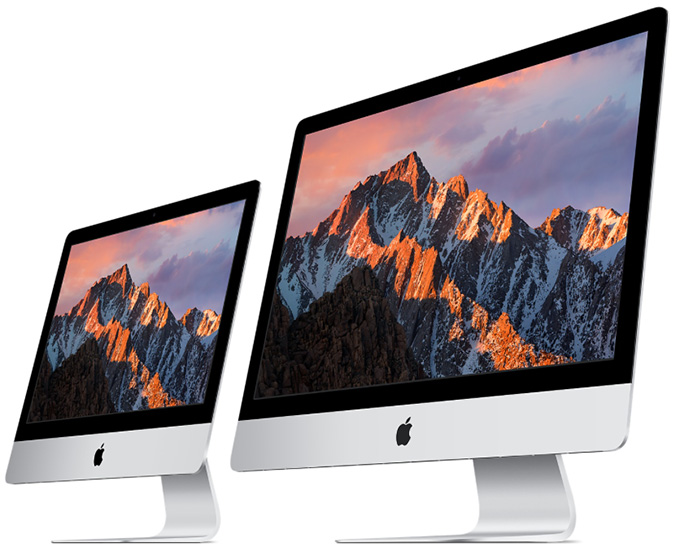
Both Final Cut Pro X and Premiere interfaces work best on larger screens. This is not to say they work poorly on smaller screens, but both of these display a LOT of elements on screen. More screen room is MUCH better.
I recommend a 27″ display. Plus, all the new 27″ iMacs now share the same 5K Retina Display.
NOTE: One of my iMacs is an older 5K iMac. I’ve discovered, that while seeing a 5K image is nice, the on-screen text is often very hard to read. So I’ve lowered the screen resolution using System Preferences to make the text larger. I prefer to easily read the text to seeing every pixel in my image.
However, if the purpose of the new system is video compression, you don’t need the bigger screen size. In which case, you can save money and improve performance with a 21″ system.
NOTE: Both H.264 and the up-coming H.265 video codecs are hardware-accelerated in all the new hardware. While this won’t help when transcoding into ProRes, hardware-acceleration will significantly speed compressing files for the web.
WHAT SPEED CPU?
UPDATE Intel’s latest 8th-gen and 9th-gen Core processors, including up to a 3.2GHz six-core 8th-gen Core i7 with Turbo Boost up to 4.6GHz for the 21.5-inch 4K iMac and up to a 3.6GHz eight-core 9th-gen Core i9 with Turbo Boost up to 5.0GHz for the 27-inch 5K iMac.
While CPU speed is important, it is not critical for video editing; remember, iMacs that were current as recently as last month, were easily able to edit almost all forms of SD, HD, and 4K media.
Any of the processors in any of the new iMacs will be fine for video or audio editing.
UPDATE: The choice in the 21.5″ iMac is between i5 and i7. The i7 is worth the money because of its support for multi-threading. The choice in the 27″ iMac is harder: between i5 and i9, because it’s a $500 differential. Unlike the i5, the i9 supports multithreading. If you are doing multicam, 4K or HDR editing, or lots of video compression, the i9 is worth the money.
HOW MUCH STORAGE?
I really like that Apple has put Fusion drives into all but two of their iMacs. I own two iMacs with Fusion drives and I remain very impressed with these systems. They are an excellent balance between the speed of an SSD with the storage capacity of spinning media.
Keep in mind that the SSD portion of a Fusion drive is only a part of the total storage. For example, the 1 TB Fusion uses a 32 GB SSD, while the 2 and 3 TB Fusion drives use a 128 GB SSD. The OS watches what you do and moves files onto the SSD based upon what you are using most. Which means that a Fusion drive works fastest with files you access over and over.
NOTE: Here is an updated article on storage speeds and media requirements that explains the load your storage system needs to carry.
If you want maximum performance AND you plan to store media on an external drive, get the 512 GB SSD. All the files in macOS will take less than 30 GB, leaving plenty of room for working files and immediate storage.
If you want an excellent balance between performance, price and capacity, stay with the 1 TB Fusion drive. Again, store media externally.
If you don’t plan to purchase external storage – and you will, you just don’t know it yet – get the 3 TB Fusion drive. (An extra TB for $100 makes this a better value than the 2 TB Fusion drive.)
One of my systems has a 3 TB Fusion drive. Currently, I’m using 600 GB of it. The rest is sitting around idle. When using external storage, you really don’t need lots of internal storage.
If you just want maximum performance from your storage, get the 1 TB SSD. It’s pricey, but it’s speed will make you giggle.
Apple notes: “For the best performance, iMac systems with 32GB or more of memory should be configured with a 2TB or larger Fusion Drive or all-SSD storage.”
NOTE: Apple’s marketing materials now define a terabyte as one trillion bytes. This means that when a disk is formatted, its storage capacity will be less than 1 TB because of the differences between how marketing and engineering calculate disk sizes.
WHICH GPU?
Configuring the GPU (Graphics Processing Unit) is now done when you pick the initial iMac, rather than as a build-to-order option within each iMac family. So, much though I would like to pick the mid-range system and add a high-end GPU into it, we no longer have that option.
Which is a shame. Because while we don’t need the high-end CPU system for most video editing, we would significantly benefit from the high-end 580 GPU in any system.
Both Final Cut and Premiere are increasingly using the GPU for most editing tasks, because the GPU is much faster than the CPU at rendering bitmapped images. Therefore, the best choice is the high-end GPU. The high-end GPU also includes 8 GB of video memory (VRAM).
However, the mid-range system with the Radeon Pro 575X is a perfectly adequate choice.
NOTE: The difference between the 575X and 580X is performance. The 575X has a peak performance of about 4.5 Teraflops, while the 580X supports up to 5.5 Tflops. Both will handle video just fine. All of the Radeon chips support OpenCL and Apple’s Metal and up-coming Metal 2 GPU computing API.
Here’s a link to learn more about Radeon’s GPU chips.
NOTE: Again, if you are principally doing video compression, the GPU speed is less important than the CPU speed. So, compressionists don’t need as high-performance a GPU as an editor.
UPDATE: When looking at GPU performance, use the specs for Metal or Metal II. OpenCL will not be supported going forward. Also, while eGPUs are attractive, I don’t see them, yet, as a big enough benefit for iMacs. eGPUs are principally designed for laptops.
HOW MUCH RAM?
Both Final Cut and Premiere will use as much RAM as you can afford.
Based on my tests with the 2016 MacBook Pro, I recommend a minimum of 16 GB of RAM, though, all my systems here have 32 GB. Again, if you have the money, max out the RAM. However, 32 GB of RAM will be sufficient for virtually all projects.
HOW MUCH SHOULD I SPEND?
You are going to be using this computer for four years. Spend what you can afford, but don’t be stingy in areas that matter: GPU and RAM.
All the base systems are fine, But, depending upon your needs, you can tweak the configurations to better match what you want the systems to do. All systems feature wireless mice and keyboards; though, in my office, I prefer my mice and keyboards wired.
NOTE: Apple has not yet delivered the Touch Bar on any stand-alone keyboards.
If it were my money and I was doing video editing on a budget, here’s what I would get:
Total: $2,499 (you’ll still need to spend additional money for 3rd-party RAM)
However, I wish that Apple made the Radeon 580X available on the mid-range unit.
If it were my money and I was doing mostly video compression, I’d get the high-end Mac mini. (This, in fact, is what I did personally.) Here’s an article that explains this in more detail.
As always, I’m interested in your opinions.

2,000 Video Training Titles
Edit smarter with Larry Jordan. Available in our store.
Access over 2,000 on-demand video editing courses. Become a member of our Video Training Library today!
Subscribe to Larry's FREE weekly newsletter and
save 10%
on your first purchase.

346 Responses to Configure a 2019 iMac for Video Editing [u]
← Older Comments Newer Comments →-
 Salvador says:
May 25, 2018 at 4:29 pm
-
 Larry says:
May 26, 2018 at 9:03 am
-
 Tornaventofilms says:
May 31, 2018 at 1:37 am
-
 Larry says:
May 31, 2018 at 8:52 am
-
 JY says:
June 4, 2018 at 10:07 am
-
 Larry says:
June 4, 2018 at 11:20 am
-
 Subasiano says:
June 18, 2018 at 4:20 am
-
 Larry says:
June 18, 2018 at 8:09 am
-
 Mahmud says:
July 13, 2018 at 5:35 am
-
 Larry says:
July 13, 2018 at 10:39 am
← Older Comments Newer Comments →Thank you very much for your answer Larry.
I use Lacie quadra external disks. Believe me that in argentina takes some times to convince producers to buy them!
Salvador:
Producers don’t want to spend money in ANY country. I’m glad you could convince them, it was a wise decision.
Larry
Hello Larry, thank you for taking the time to make those usefull reviews. Someone from apple made me an offer I couldn’t refuse:
Imac 27, IntelCore7 7th generation 4,2 ghz 32go DDR4 at 2400MHZ SSD 1to and Radeon pro 575 and accessories. I can purchase it for 2500 brand new with apple care. I am an independant fiction editor/director and my macbookpro retina cannot handle the work I’m doing now (more and more 4k) Am I stupid to hesitate according to you ?
TornaventoFilms:
Smile… Sounds like a good deal to me. Enjoy your new system.
Larry
Hi Larry, i’m stuck between deciding to get the 27” 3.4ghz with Radeon Pro 570 or the 3.5ghz with Radeon Pro 575. I mostly deal with 4k videos (projects usually just a few minutes), some light after effects work, and colour in resolve. I’m planning to use it for a few years so i’m wondering if there will be much difference between the two and which is more worth the money.
JY:
Since you are only doing light effects, either system will be fine. The speed difference between the CPUs is not significant.
Larry
Hi Larry, thanks for your article and for the impressive feedback of the comments.I’m a freelance filmmaker, i usually work in HD but i buying more and more 4k equipment and i want start work wit it in safety and speed: not huge progects, but i want to be sure that my machine dont’t be stocked and work slowly.
I’ buing an i27 IntelCore7 7th generation 4,2 ghz 32go DDR4 at 2400MHZ SSD 2/3 tb fusion drive and Radeon pro 580, actually this is my choice after reed with attention all the comments. Do you think is enough?
My special question about this machine that you mention before; 18 TB OWC RAID.
You work with it via tunderbolt? you think is better work on it than work directly inside the machine, i mean managing the project directly inside the computer? how is you experience and if is positive you suggest me to buy one for the saefty and facility of my works? thanks a lot.
Sorry for my terrible English grammar but is not my mother language.
Subasiano:
Thanks for writing!
You are getting a good, solid system. 4K media is extremely large, files are often measured in TB, not GB. For this reason, external storage is essential. Your Fusion drive will fill up too quickly. The length of the project is less important than codec you are using, and what you are doing to the media. LOTS of effects may bog this system down, that does not mean it won’t work, it will just be slower.
If money is no object (and when is that EVER the case) an iMac Pro is a better choice when you are working with 4K or higher resolutions or HDR media. However, from your description, I think you are getting a fine system that should last you several years.
Larry
hello bro i want to make animation movie through i clone 7 and cinema 4d software.my current pc rendering speed too much slow. i want to buy imac pro.
3.2GHZ 8-core intel Xeon W processor
32 GB 2666MHz DDR4 ECC memory
1TB SSD
Radeon Pro Vega 56 with 8GB of HBM2 memory
this configuration is ok for rendering speed fast ?
thank you bro
Mahmud:
This should provide you lots of rendering performance. The speed of the CPU is less important than the speed of the Graphics card.
Larry