
 During their iPad event on May 7, 2024, Apple announced new versions of Final Cut Pro for iPad (v2) and Mac (v.10.8). The iPad version will be available later this spring, the Mac version will be available “soon.”
While the new features in the Mac version were mostly cosmetic, the new features in the iPad were dramatic – and AI-focused. (I have thoughts on this disparity below.)
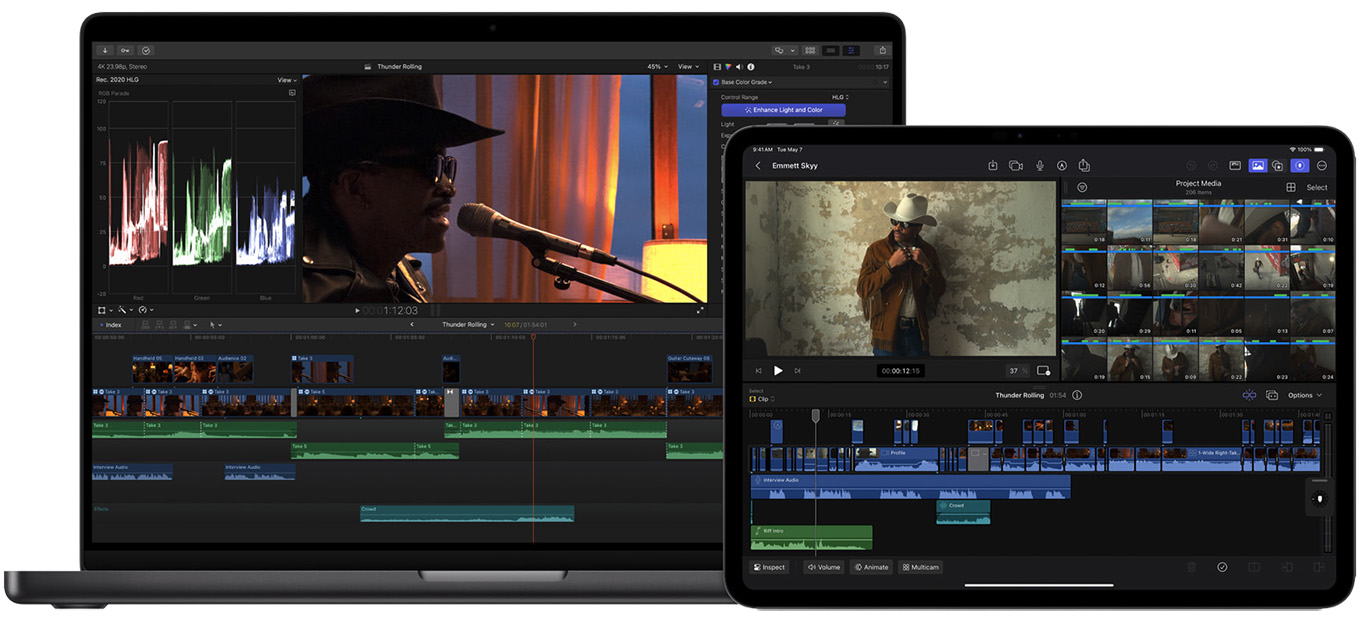
Image courtesy Apple Inc.
NEW FEATURES IN FINAL CUT PRO FOR IPAD 2
“Final Cut Pro for iPad 2 transforms iPad into a multicam production studio with Live Multicam, giving users the power to speed up their shoot by allowing them to connect and preview up to four cameras all at once, all in one place. To support Live Multicam, Final Cut Camera — an all-new video capture app — comes to iPhone and iPad, letting creators wirelessly connect and remotely direct each video angle with powerful pro controls.
“Final Cut Camera also works as a standalone professional video capture app on iPhone and iPad. External project support gives users the flexibility to edit projects directly from an external drive, leveraging the fast Thunderbolt connection of iPad Pro.” (Apple press release)
Major new features include:
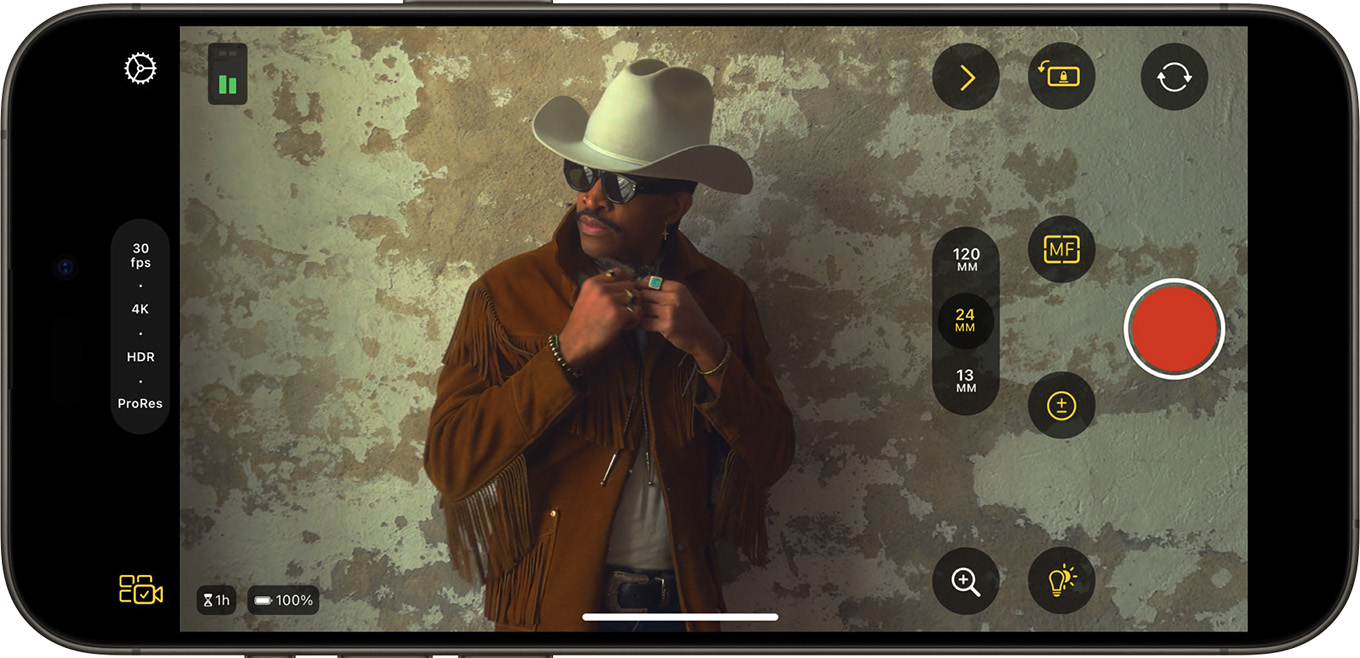
Image courtesy Apple Inc.
Final Cut Camera. A new, stand-alone app that enables live monitoring, capture, video image and focus control and wireless transmission to another iPad.
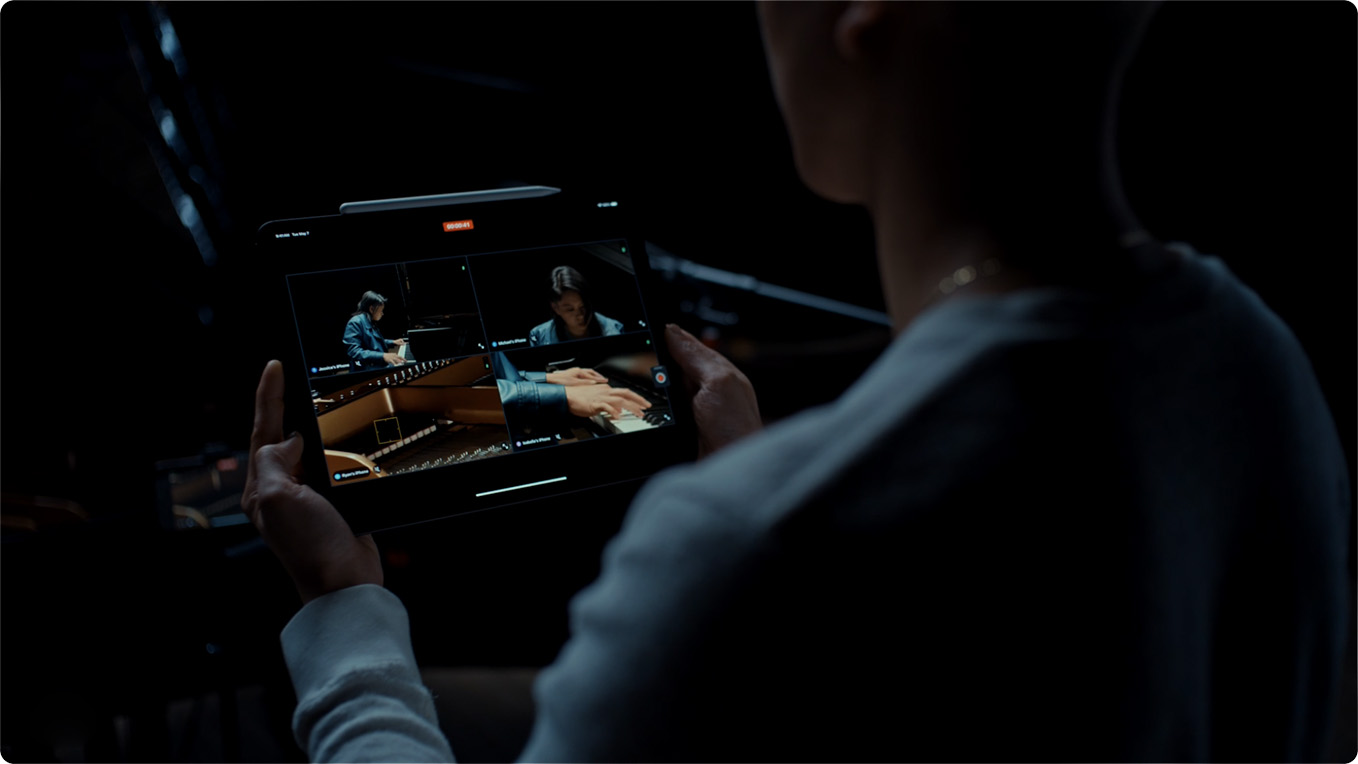
Image courtesy Apple Inc.
Live Multicam. This supports up to four wireless video feeds from connected iPhones or iPads using Final Cut Camera. Each video feed can have image and audio settings controlled remotely, with automatic linking directly into Final Cut Pro for iPad 2.
External Project Support. FCP now supports projects saved on external storage, connected via USB-C. These projects can be opened in either Mac or iPad versions of Final Cut.
Additional Customization. Up to twelve color grading presets can be saved and accessed, eight new text titles were added, along with twenty new soundtracks and dynamic backgrounds.
NEW FEATURES IN FINAL CUT PRO FOR MAC 10.8
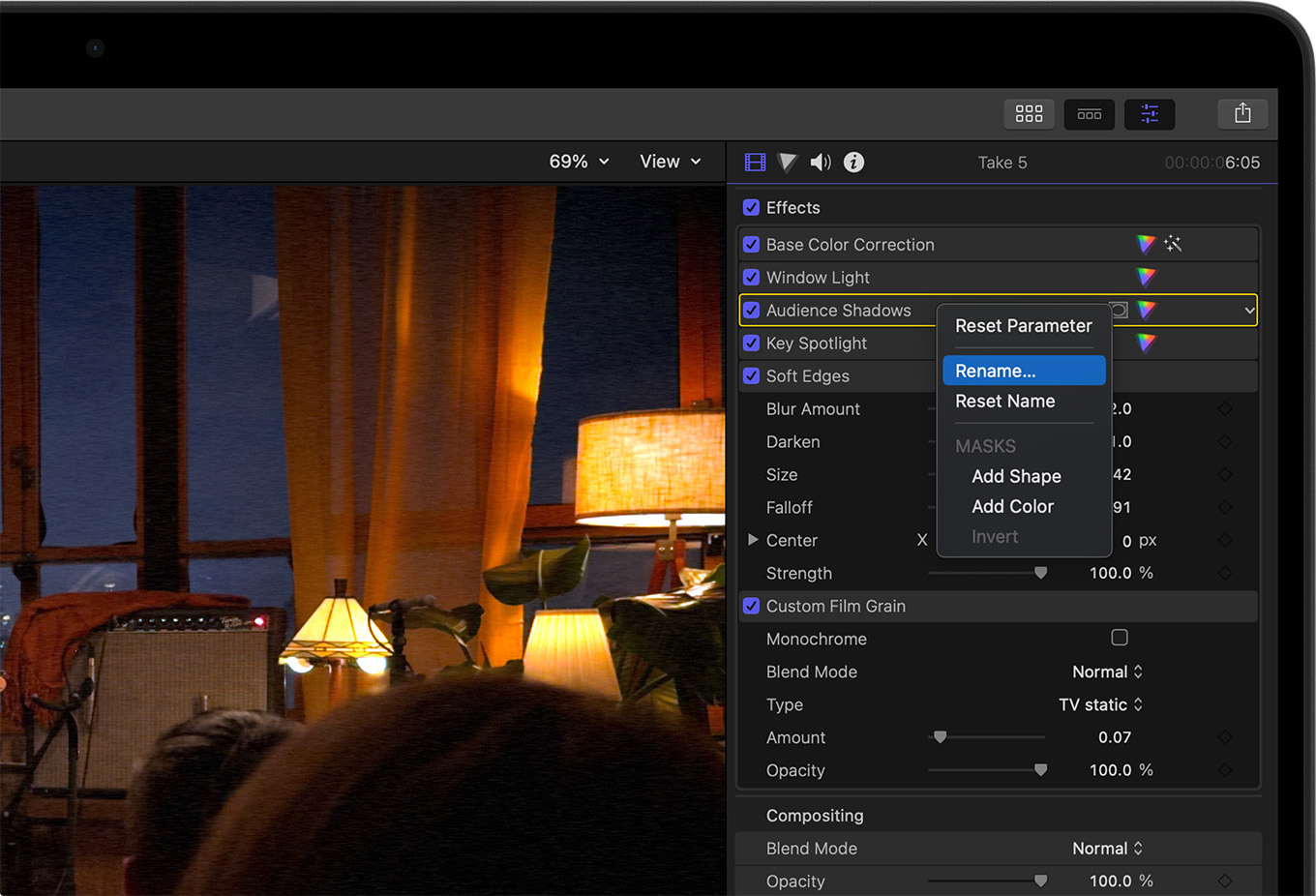
Image courtesy Apple Inc.
“Leveraging the Neural Engine in Apple silicon, new AI features and organizational tools come to Final Cut Pro 10.8. Available as a free update to existing users, Final Cut Pro 10.8 introduces Enhance Light and Color, offering the ability to improve color, color balance, contrast, and brightness in one simple step, and is optimized for SDR, HDR, RAW, and Log-encoded media. With Smooth Slo-Mo, frames of video are intelligently generated and blended together, providing the highest-quality movement and more drama to a project.” (Apple press release)
Other features include:
NOTE: Most of these features require the latest version of iPadOS or MacOS, along with Apple silicon chips on the Mac.
LARRY’S COMMENTARY
At first blush, these upgrades beg the question: “Which version of Final Cut should I use?” But that is easy to answer: If you have an iPad, use the iPad version. If you have a Mac, use the Mac version. Neither version runs on the other platform.
Remember, also, that the iPad version is subscription, while the Mac version is purchased. Over a five year hardware life, you’ll spend $245 for the iPad version and $299.99 for the Mac. (Apple says that the Mac upgrade will be free, as usual.)
Also, at first glance, it is easy to say that the iPad version is getting all the love and the Mac version is getting desultory upgrades, at best. While there’s truth to that, it misses a bigger point.

Image courtesy Apple Inc.
Apple has always used Final Cut to showcase new hardware features – from faster processors and storage bandwidth to better monitors. As editors, we view Final Cut as an editing platform. Apple views it as a hardware showcase. Yes, it edits video, but that’s only because editing video requires serious computing power. Plus, video is highly visual which makes for great demos.
Last week, AI came to the iPad with the arrival of the M4 chip. The Mac’s time is coming. When Apple releases a Mac with the M4 chip – combined with the rumored AI features in the up-coming macOS – I expect to see similar feature leaps in the Mac version.
These may not be the most-requested features that editors want, but they will showcase all that the latest versions of Mac, macOS and AI can do. Hopefully, those two needs will mostly intersect.

2,000 Video Training Titles
Edit smarter with Larry Jordan. Available in our store.
Access over 2,000 on-demand video editing courses. Become a member of our Video Training Library today!
Subscribe to Larry's FREE weekly newsletter and
save 10%
on your first purchase.

11 Responses to Apple Updates Final Cut Pro for iPad and Mac
← Older Comments-
 Larry Jordan says:
May 22, 2024 at 6:37 pm
← Older CommentsEmma:
Agreed. Speech to text in any form is woefully overdue.
Larry