[jwplayer api_key="kbBMBJTjKc9WLL2/3VpmkSznwdzzqjAKHc08xw==" file="https://d900066ubkwab.cloudfront.net/Webinar223_Multicam.mp4?Expires=1786682748&Key-Pair-Id=APKAIKDB332HYGG7URHA&Signature=ch2Qst0NQ5jmldtK6USC~vPagsksGfxy~TDB5g0xMRgvasSiLy6JmVGZR3YFYj8BbYzL5xhAtop7sE1NJqMM4rHMjjIy80SCF1AwTzSVK-UiK55sXLajq0a9LZMynQCmg7jyhv4G3DQqGc9-kcesYIRu6wedfvdVaPDZPEta~b0_" tracks='{ "file": "https://dev.larryjordan.com/videos_subtitle/", "label": "English", "kind": "captions", "default": true }' height="360" width="640" controls="true" playbackratecontrols="true"]
Presented: May 24, 2017
COURSE DESCRIPTION
NOTE: It’s been almost two years since I’ve done a webinar on multicam editing in Final Cut Pro X. With the new interface, and lots of new features, its time to take another look.
Multicam shooting records an event using multiple cameras. Multicam editing allows us to see all those images at the same time as we edit the show. This allows us to quickly compare shots and pick the best one for our story. As cameras get less expensive and editing software gets more powerful, multicam shooting is becoming the norm, not the exception.
This session covers:
At the end of this session, you’ll know everything you need to know to successfully create, edit and modify multicam clips inside Apple Final Cut Pro X.
AUDIENCE LEVEL
This intermediate session is designed for editors with some Final Cut Pro X experience that want to learn how to edit video using multicam techniques. This session is delivered as a QuickTime movie, no other software is required to watch this session.
CHAPTER MARKERS
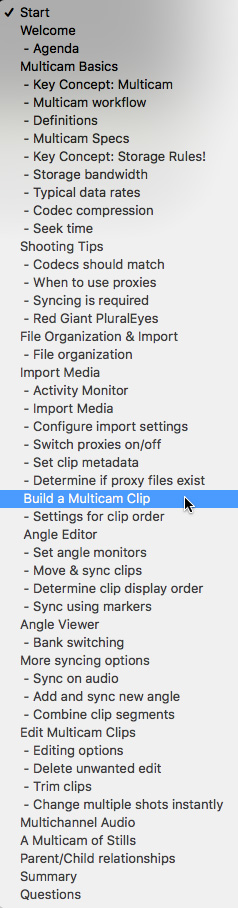
To help you quickly find the information you need, we included chapter markers in the downloaded QuickTime movie for easy navigation. Click here to learn how to display them in your download.
CONTENT OUTLINE