
[jwplayer api_key="kbBMBJTjKc9WLL2/3VpmkSznwdzzqjAKHc08xw==" file="https://d900066ubkwab.cloudfront.net/Webinar217_Motion_03.mp4?Expires=1786686441&Key-Pair-Id=APKAIKDB332HYGG7URHA&Signature=S4N-rfTEMyXNw~61f4g-cEvU4L07VC2vG33bjkTVlGcWPvP211-CtJ4HrIDPUFNDQ70Xw1H3Xb-0DkYhY-GGOzuDvPlTpSWBpa6EAzEH4w2yA9UeR0ffjWzHhsa0z1~eWdX1ij55ei3lGccXVV6hPZYZAWxWjX5ULJWZ9zGd154_" tracks='{ "file": "https://dev.larryjordan.com/videos_subtitle/", "label": "English", "kind": "captions", "default": true }' height="360" width="640" controls="true" playbackratecontrols="true"]
Presented: Mar. 15, 2017
COURSE DESCRIPTION
This is the third part in a 6-part series examining Apple Motion 5.3.x.
Here’s the link to our 6-part Motion Bundle that contains this episode.
Whether you use Apple Final Cut Pro X, Adobe Premiere Pro CC, or any other video editing software, you can create high-quality motion graphics using Apple Motion. This session continues our six-part series on the latest version of Apple Motion – v.5.3. This week, we learn how to add and animate audio and video clips, plus look at Paths and Masks.
Whether you are new to Motion, or just want help figuring out where everything moved, this session is for you. This session covers:
AUDIENCE LEVEL
This is a intermediate-level session, designed to build on the introduction to Apple Motion provided in Webinars 215 and 216. You don’t need to own Motion to watch this training, but it is strongly encouraged that you watch Parts 1 and 2 of this series before watching this movie.
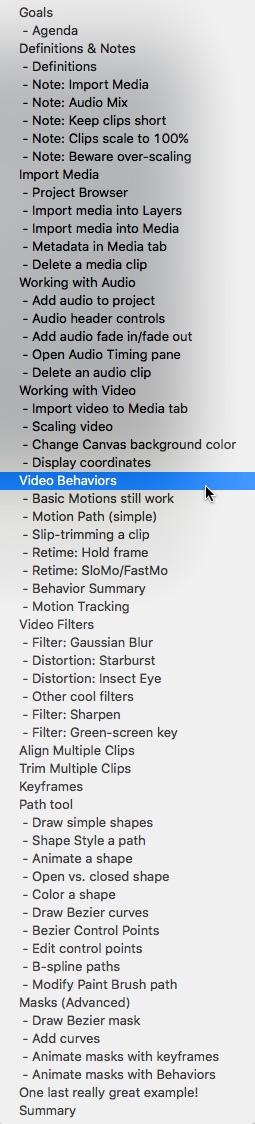
CHAPTER MARKERS
To help you quickly find the information you need, we included chapter markers in the download version for easy navigation. Click here to learn how to display them in your download.
CONTENT OUTLINE


