
[jwplayer api_key="kbBMBJTjKc9WLL2/3VpmkSznwdzzqjAKHc08xw==" file="https://d900066ubkwab.cloudfront.net/Webinar197b_Compressor.mp4?Expires=1786697214&Key-Pair-Id=APKAIKDB332HYGG7URHA&Signature=FwTkqzNyKhU5HUIEIVSzo-HM22VpRjhU3kKPFco3pL~RgA0ch0Rb43ZCFvuuH8SJ9Cn2hbniFCDAYVseYH5PLNqpkeZsG8IWnc7ng78DgjbR470BUn5GVD7cFS4AO8a5u~2oY6UjXi19FThheF-pIfbVvTSbsSZViFA80FsrWJA_" tracks='{ "file": "https://dev.larryjordan.com/videos_subtitle/", "label": "English", "kind": "captions", "default": true }' height="360" width="640" controls="true" playbackratecontrols="true"]
COURSE DESCRIPTION
For many of us, video compression is an arcane, bizarre science. But it doesn’t have to be. In this session, host Larry Jordan explains the basics of video compression; including what really determines file size and image quality.
This session has two sections:
During this session, Larry shows:
AUDIENCE LEVEL
This is an intermediate session designed for people who are comfortable with media, but who may be new to video compression.
SPECIAL FEATURE
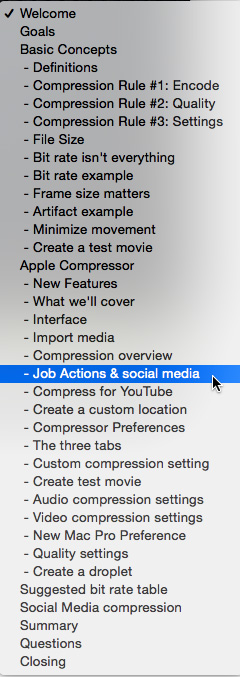
To help you quickly find the information you need, we included chapter markers in the downloaded QuickTime movie for easy navigation. Click here to learn how to display them in your download.
CONTENT OUTLINE
Compression Basics
Apple Compressor


